





Why daily posting is the first bottleneck
With one account it works. You upload a post in the morning, write two lines, set tags, done. Ten minutes. With five accounts that's fifty minutes, seven days a week, done by the person who should be running the agency.
The posting folders with their own interval are part of the Maloum CRM.
The real problem isn't the time, though. It's the gap. Manual posting breaks down exactly when it costs the most: on weekends, during holidays, on the day everything else is on fire. The feed goes quiet, the profile drops out of view, and the revenue dip arrives two weeks later, at a point where nobody connects it to the week that got skipped.
There's a second effect most people underestimate: as long as posting is manual, the feed follows your calendar instead of your fans'. Things get posted when you have time. Not when people are online.
That makes publishing profile posts the first daily task that belongs in a system rather than in your head. It's repeatable, it's low-risk, and there isn't a single part of it that requires a human decision at the moment of execution. Which other tasks belong in that system and which deliberately don't is covered in Automating Maloum: Bot vs. CRM tasks.
Scheduled is not automated
The distinction sounds like semantics, but it decides whether the system actually takes work off your plate.
Scheduled means you move the work forward in time. You sit down on Sunday for two hours and create 21 posts one by one, each with a file, a caption, tags and a timestamp. Next week, again. The work hasn't shrunk, it has just moved.
Automated means you no longer define when each individual post goes out, only at what rhythm posting happens at all. The content sits in a folder, and that folder gets worked through in order. All you do is refill it.
The practical effect: content production and publishing are decoupled. Tuesday's shoot doesn't have to be online on Tuesday. A creator who produces once a month can still be visible every day. And the effort per post doesn't drop by twenty percent, it drops to zero.
A content calendar manages individual posts. An automation manages a queue, and a queue only needs refilling, not scheduling.
How to set it up in UserFlow
Setup is one dialog with four decisions. After that it runs.
1. Pick the vault folder
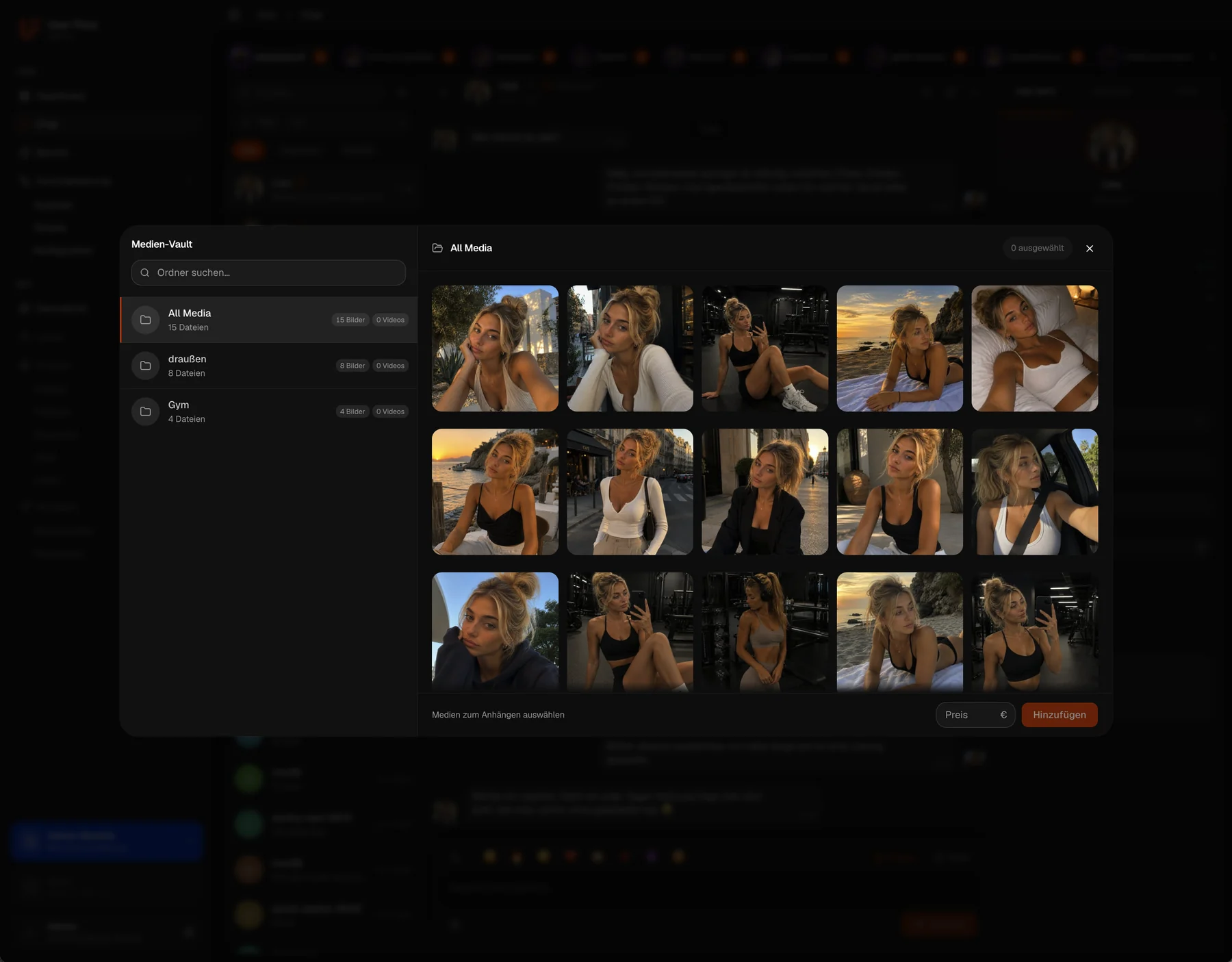
You choose the folder in your vault that this automation posts from. Every automation is bound to exactly one folder, that's the key design decision, because the folder is both your queue and your stock. If you manage several accounts, you create a separate automation with its own folder per account.
2. Set the interval
The presets are 6 hours, 12 hours, 1 day, 2 days and 3 days. If none of them fit, Custom lets you set your own. The concept behind it matters: you're not defining a timetable, you're defining a cadence. The next post always goes out one interval after the last one.
3. Define the default values
Caption, tags and visibility are set once. Every post uses those values unless you change them on an individual post. That's precisely what separates this from classic scheduling: you don't type the same caption 21 times, but you can still override the one post where it matters.
4. Post the first one immediately, or don't
A small option with a noticeable effect: when it's active, the first post goes out the moment you save instead of after the first interval. Handy during setup, because you immediately see that everything works. On an account that just published something, you'd rather leave it off so the cadence isn't disturbed.
Exactly one recurring task: refilling the folder. Make it a fixed weekly slot instead of waiting until a quiet feed catches your eye.
Which interval fits which account
The most common question after setup isn't how, it's how often. There's no universally correct value, but there is a usable rule of thumb: the rhythm follows the supply, not the ambition. A 6-hour cadence on a creator who produces every three weeks isn't a strategy, it's a folder that's empty by Friday.
6 to 12 hours
For accounts with a genuine content surplus and a large archive. Two to four posts a day keep a profile permanently present, but they consume material accordingly. Mostly worth it during build-up phases where visibility is the goal.
1 day
The default for most profiles and the value you should start with. Visible daily, predictable consumption, and a folder of 30 files carries a full month. If you're unsure, take this one and adjust later.
2 to 3 days
For creators with irregular production or very elaborate content. Far better than the usual alternation between one intense week and three quiet ones. Consistency beats frequency: a profile that has shown something every two days for four months reads as more reliable than one with a strong month and a gap after it.
Custom
Whenever you know your account well enough to know better. This is where readable numbers pay off: if you can see when revenue actually happens, you can align the cadence with it instead of guessing. Why chat is the decisive factor there is covered in Maloum: Why 80% of revenue happens in chat.
Upload once instead of every day.
Pick a folder, set the interval, define the defaults. After that your profile keeps posting, even when you're busy with something else.
Setting caption, tags and visibility properly
The default values are the part most people tick off in thirty seconds, and the part that later decides whether the automated feed looks like a system or like an assembly line.
Caption
A required field, and it sits under every post coming out of this folder. What works well is a line that invites a reaction without tying itself to a specific post, an open question beats describing the shot. What works badly is anything that only fits one single post. For the exceptions, you override the caption on the individual post.
Tags
Also required, three per post at most. Because the limit is that tight, the selection is a real decision rather than a catch-all: take the tags your audience actually searches for, not the ones that describe the content most accurately. A sensible setup is to cut your folders along tag sets, then the defaults automatically match everything inside.
Visibility
Two options: Everyone or Subscribers. That's not a technical setting, it's a strategic one. Everyone works for reach and brings new people to the profile. Subscribers rewards the people who already paid and justifies the subscription. In practice both are worth running in parallel: one folder with public content on a daily cadence, a second one for subscribers. Two automations, two folders, same logic.
The four mistakes when switching
Automation rarely fails because it doesn't work. It fails because it works so well that it stops getting noticed.
1. Switching everything at once
Set it up on one account and let it run for a week before the rest follow. Not because something might break, but because that week tells you whether your cadence and your supply match. You want that insight on one account, not on five.
2. Filling the folder too thin
By far the most common mistake. Calculate the stock instead of estimating it: a daily cadence over 30 days is 30 files for one month. Anyone who drops in eight files and picks the 6-hour cadence is back where they started after two days, just without noticing.
3. Mistaking cadence for strategy
A folder of arbitrary content at fixed intervals is a feed without a signature. The automation takes over the execution, not the selection. What sits in which order stays an editorial decision, and because the folder is worked through in order, the moment you drop files in is exactly the moment you make it.
4. Never looking at it again
Whatever runs becomes invisible. Set a fixed weekly slot: refill the folder, glance at the feed, check whether the caption and tags still fit the current content. Five minutes a week instead of fifty minutes a day is the real gain, but you do have to take those five minutes.
One folder per account, a daily cadence as the starting value, at least 30 files in stock, defaults set properly once, and a fixed weekly slot for refilling. That turns posting from a daily task into a weekly one.
Frequently asked questions
Can you post automatically on Maloum?
Yes. With UserFlow's posting automation you pick a vault folder, set an interval, and the content in that folder is published as posts one after another. You only upload content in batches instead of creating every post by hand.
How do I set up automatic publishing?
In four steps: pick the vault folder to post from, set the interval, define the default caption, tags and visibility, then save. Optionally you can have the first post go out immediately instead of waiting for the first interval.
What intervals are available?
The presets are 6 hours, 12 hours, 1 day, 2 days and 3 days. The Custom option lets you set a different interval. For most profiles, one post per day is the sensible starting value.
Can I change the caption and tags per post?
Yes. Caption, tags and visibility are stored once as default values that apply to every post unless you override them on an individual post. Caption and tags are required fields, and each post can carry up to three tags.
Does this work for 4Based too?
Yes, posting automation works on 4Based as well. The principle is identical: one folder, one interval, default values for every post. If you run both platforms in parallel, you set up a separate automation per account. What that looks like on 4Based specifically is covered in 4Based auto-posting: the feed as an acquisition channel.