











150+ agencies
trust UserFlow

The Maloum CRM
for your agency.

Every Maloum account in one interface, mirrored chats with fan data, reports per chatter and automations. The bot runs here as well.

Tiles for stats, chat and contacts above the Maloum logo
Maloum Logo 4Based Logo OnlyFans Logo MYM Logocoming soon Fansly Logocoming soon Fanvue Logocoming soon
MALOUM CRM

The Maloum CRM
as your agency hub

The Maloum CRM brings reports, automations, live chat and the bot together: everything an agency needs to run several Maloum accounts instead of operating them one by one.

YOUR PLATFORMS

One system for all your platforms. Your Maloum accounts are the start: the same CRM also runs 4Based and OnlyFans accounts, with every feature in the same interface. More platforms such as Fansly, MYM and Fanvue are coming.

OnlyFans CRM 4Based CRM
MYMComing soon
FanslyComing soon
FanvueComing soon
HOW YOU WORK WITH IT

Eleven areas, one interface

From the first contact to the monthly report, everything stays in one place. Eleven stops along the same interface, each with its own view from the CRM.

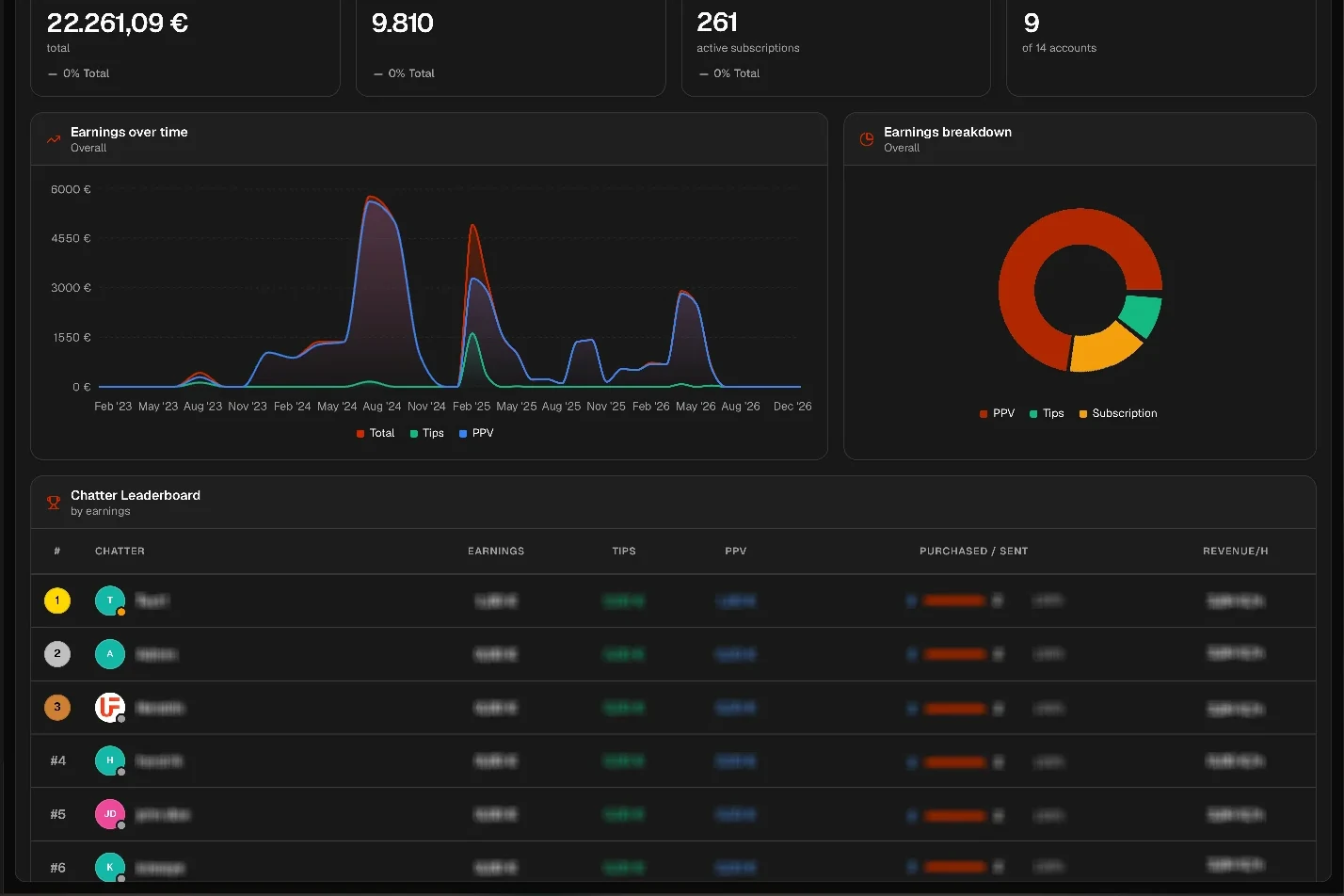
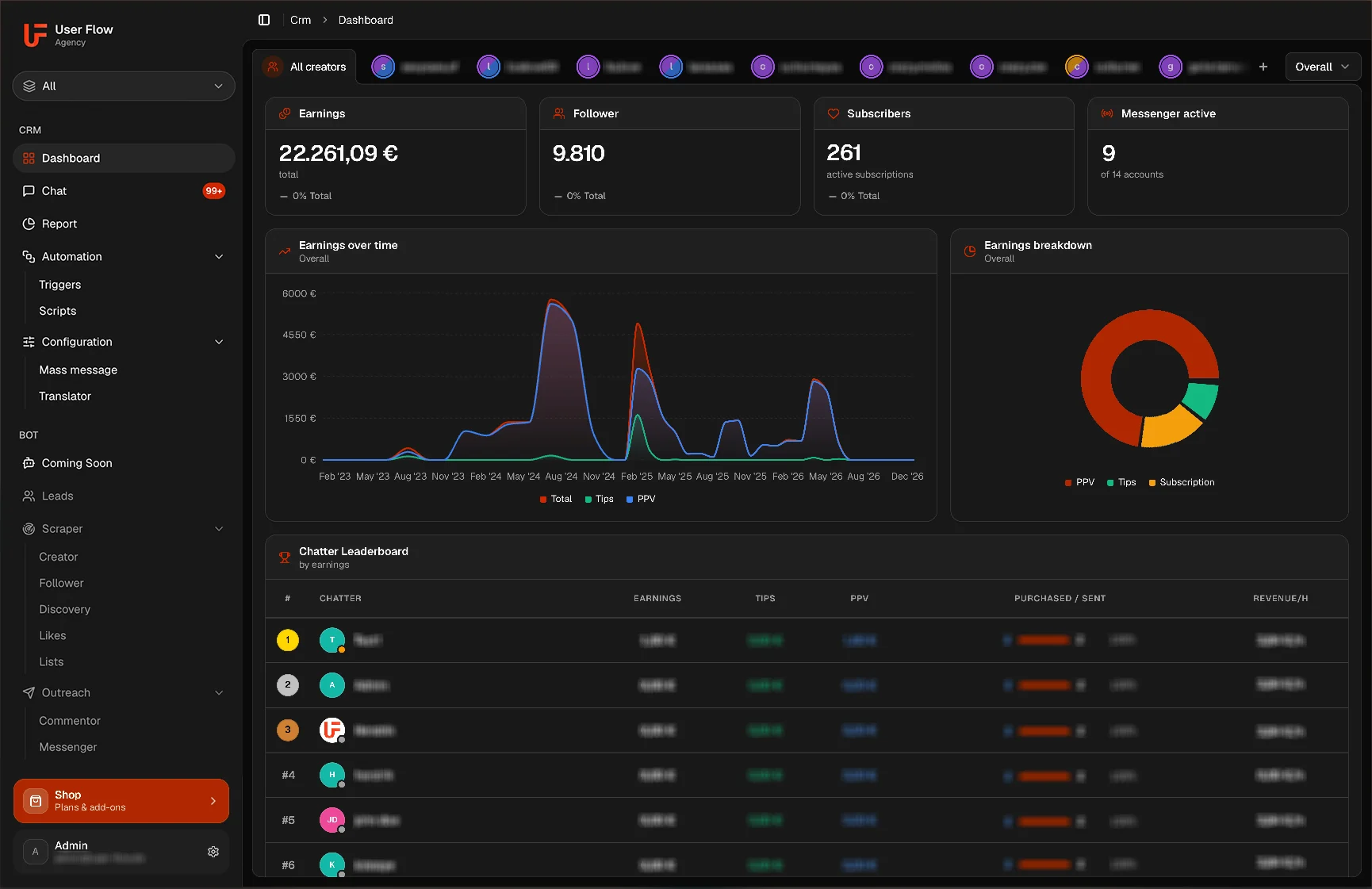
Dashboard with revenue, followers, subscribers and a chatter leaderboard across all accounts
DASHBOARD

The agency at a glance

Who brings in what, which account is growing and where automations are running sits on a single page. You no longer have to assemble the state of your agency from individual accounts.

  • Revenue per Maloum account
  • Subscriber growth per creator
  • Live chatter leaderboard
  • Running automations at a glance
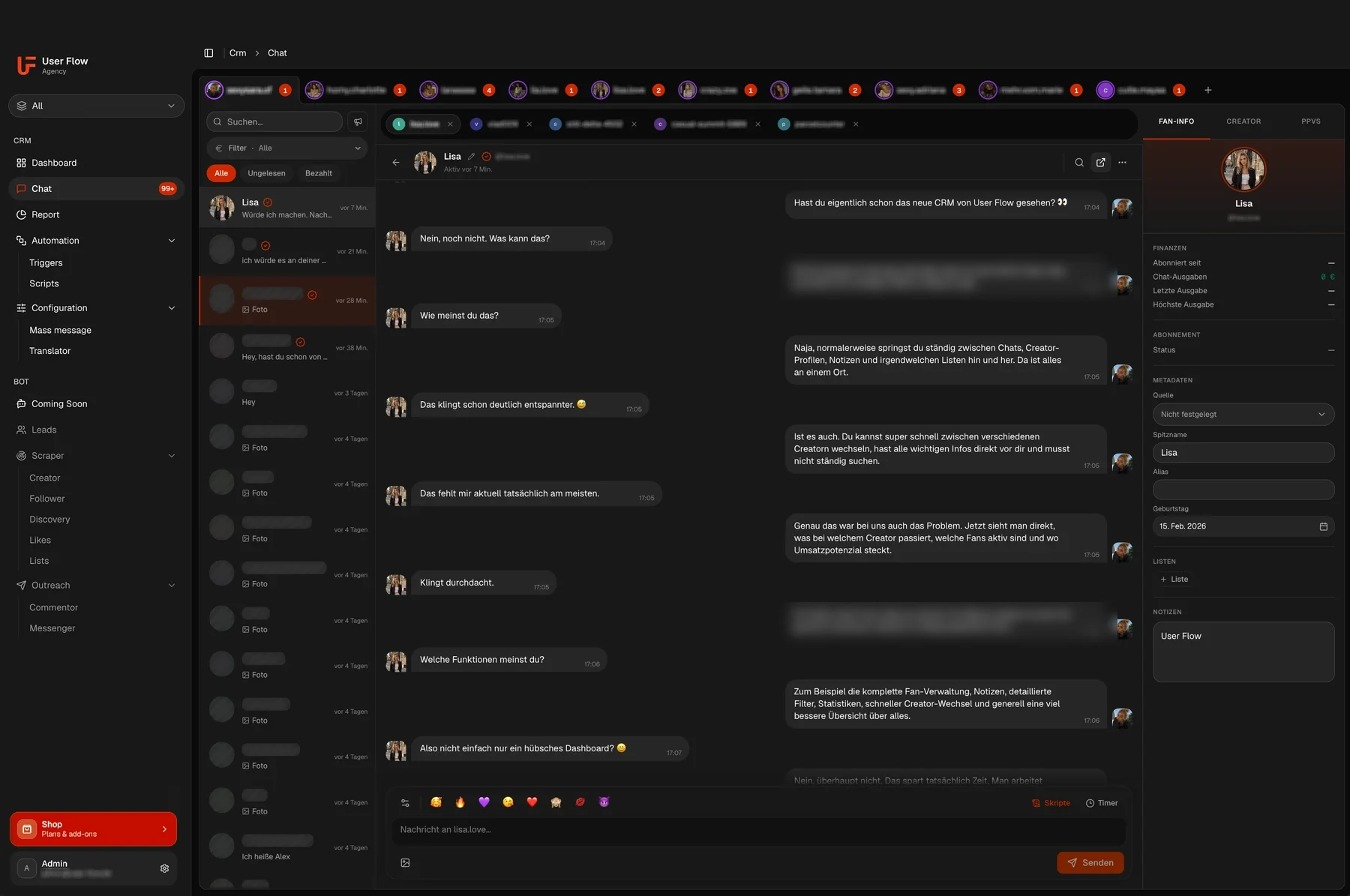
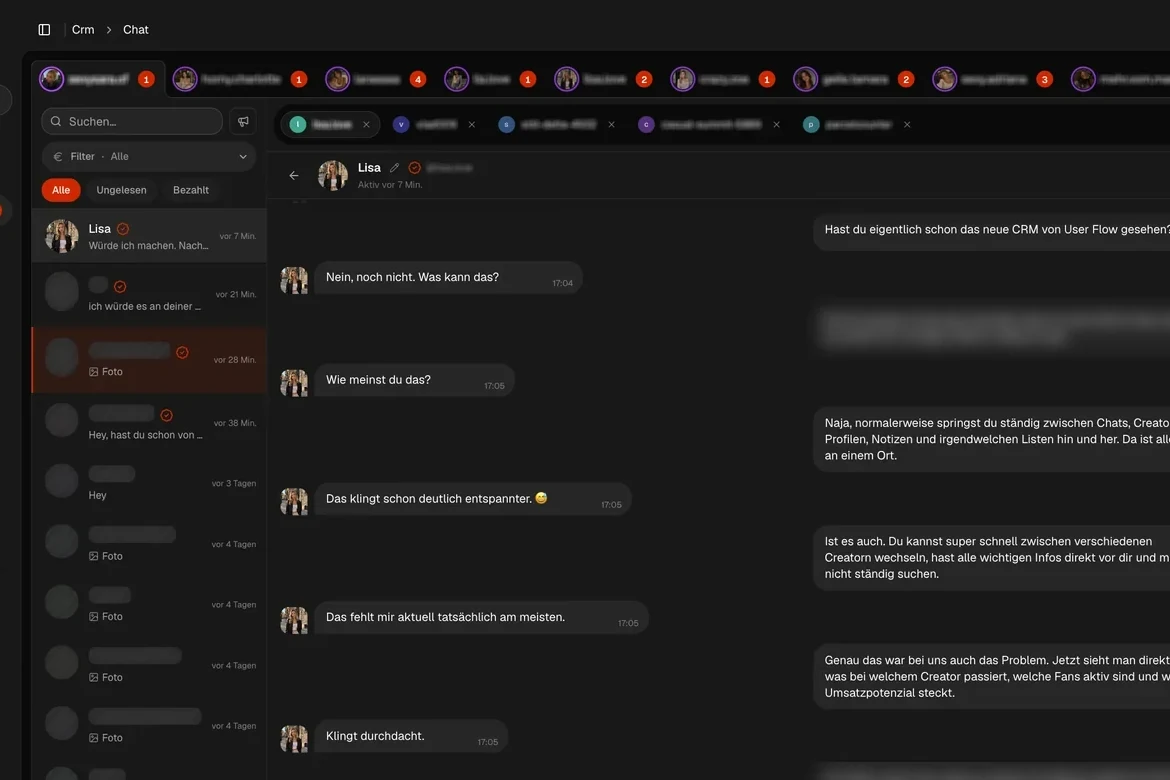
Chat view with tabs per account, a chat list and fan data next to the conversation
CHAT

Writing without switching accounts

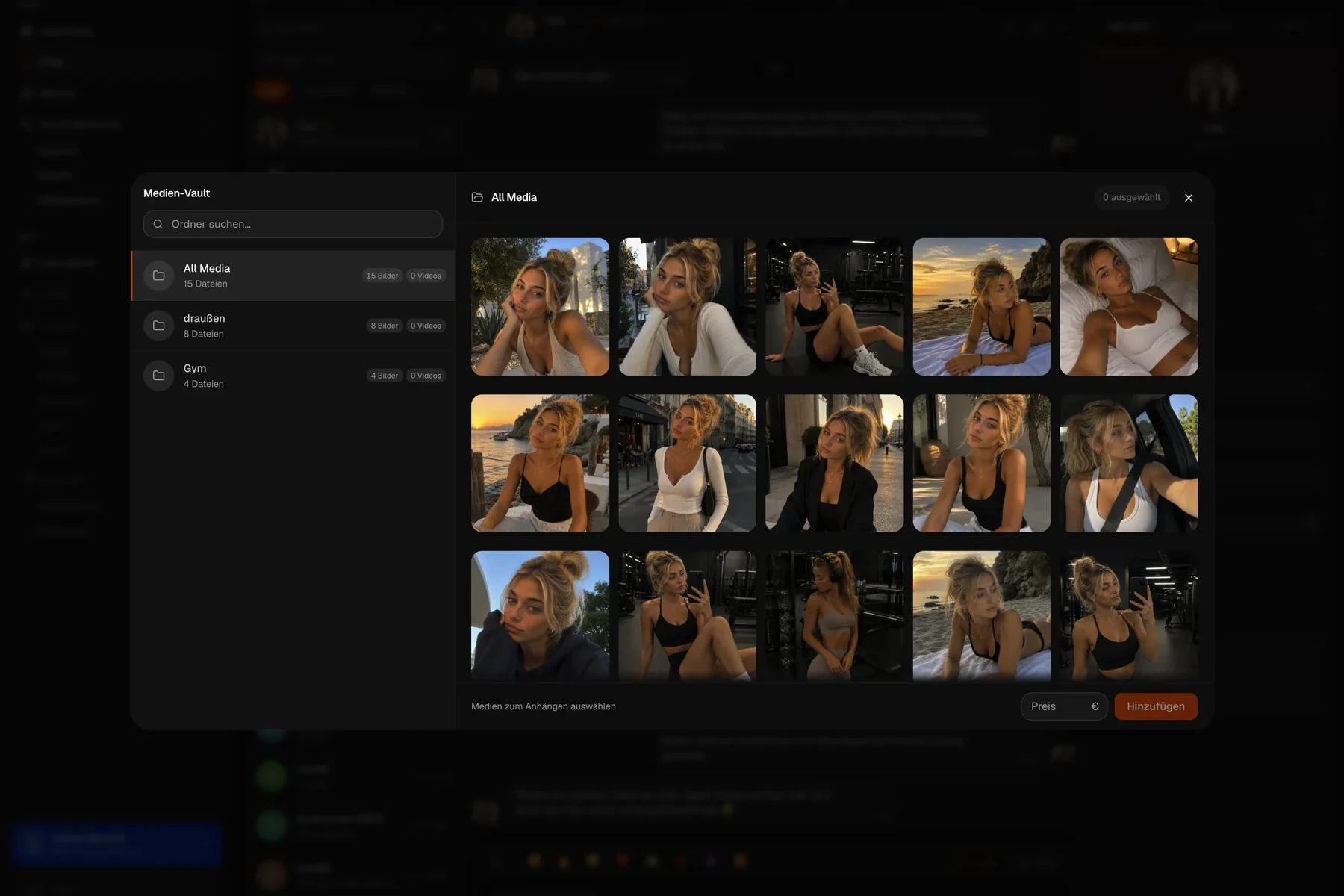
All Maloum chats run mirrored in the CRM. Your team switches between accounts by tab, sees the fan data next to the conversation and attaches media straight from the vault instead of hunting for it first.

  • Switch between Maloum accounts by tab
  • Fan details visible
  • Mass messages
  • Recipient lists
  • Script blocks
  • Scheduled sending
  • Media Vault
  • PPV history per subscriber
  • Live search and chat filters
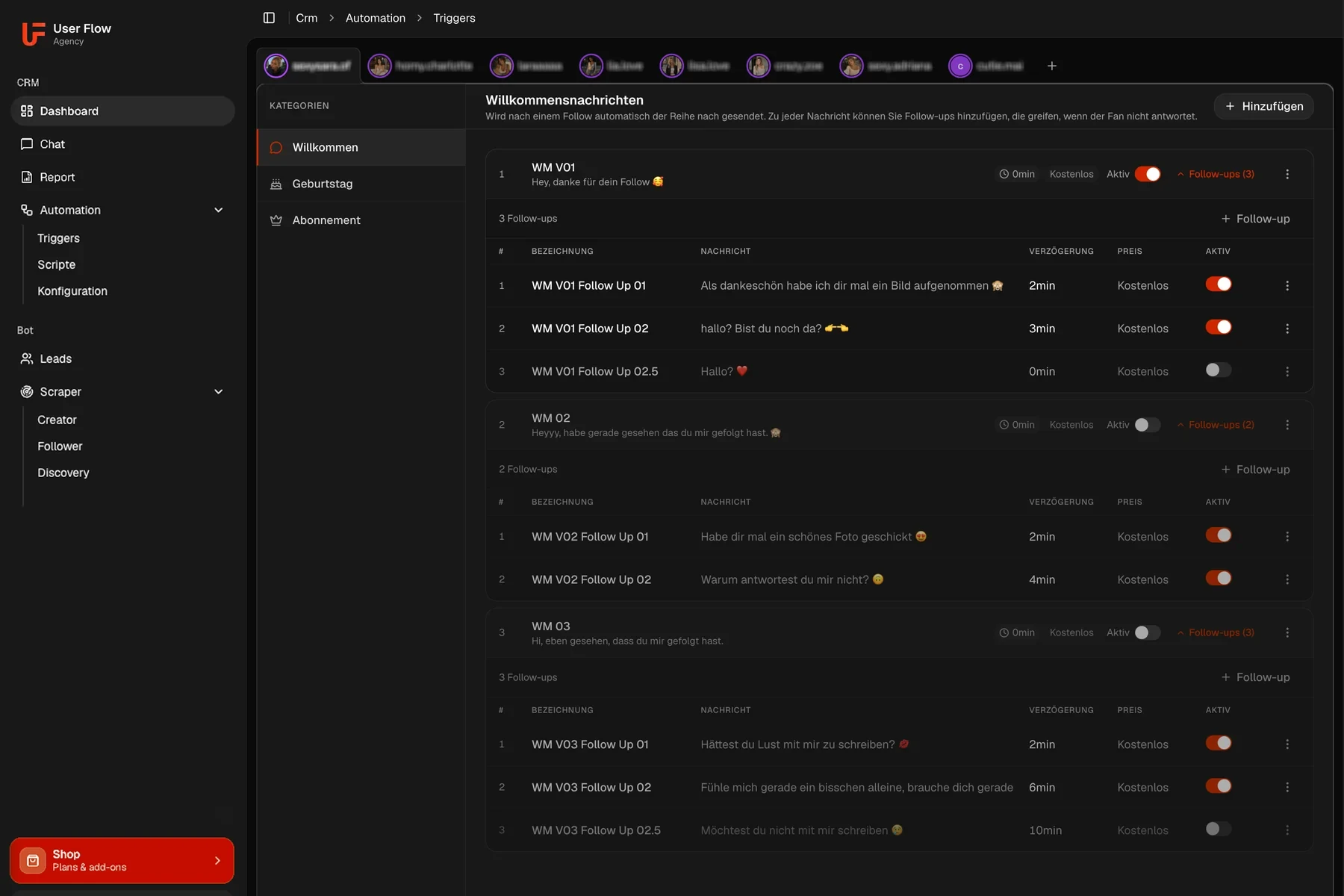
Welcome messages with follow-ups, delay, price and a toggle
AUTOMATIONS

The first minutes run themselves

The moment right after a subscription often decides whether a fan replies. That is exactly what the automation takes over: the greeting, a nudge when nothing comes back, a birthday note. Built once, it applies to every connected account.

  • Welcome message on a new subscription
  • Follow-ups with their own delay
  • Birthday messages
  • Script folder per trigger
  • Can be enabled per account
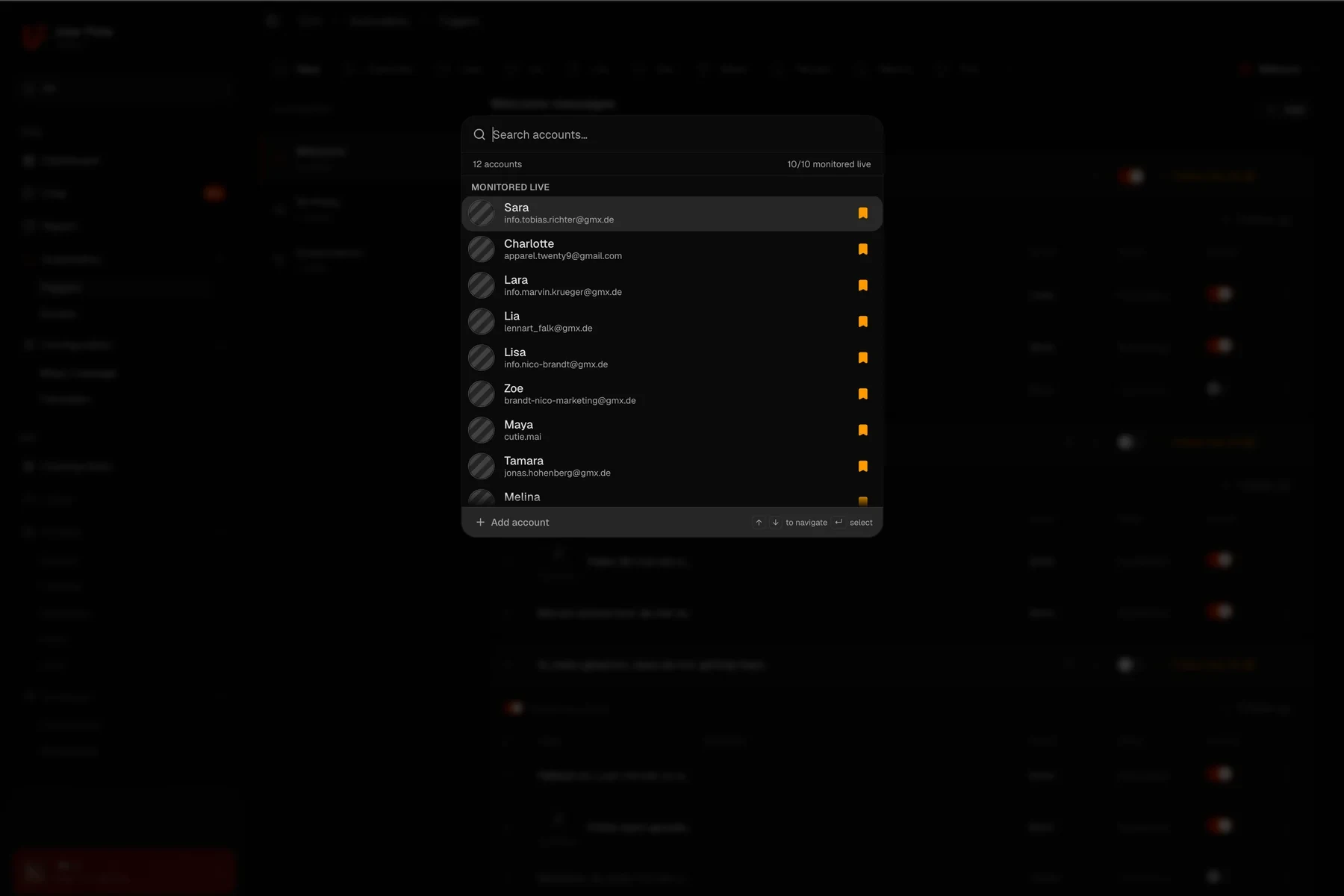
Account switcher with the connected creator accounts
TEAM

Granting access instead of sharing passwords

Every chatter gets their own invite link and then only sees the creators you give them. The login details of the Maloum accounts stay in the CRM and never appear in their view.

  • All Maloum creators in one table
  • Assign chatters per creator
  • Invite links instead of passwords
  • Plan status per account
Chatter leaderboard with revenue, tips, PPV and revenue per hour
REPORTS

Performance becomes comparable

Revenue per chatter hour, PPV purchase rate and tracked chat time per shift turn a gut feeling into a number. You can see which shift carries its weight instead of guessing what went wrong.

  • Revenue per chatter hour
  • PPV purchase rate per chatter
  • Tracked chat time per shift
  • Trend and share charts
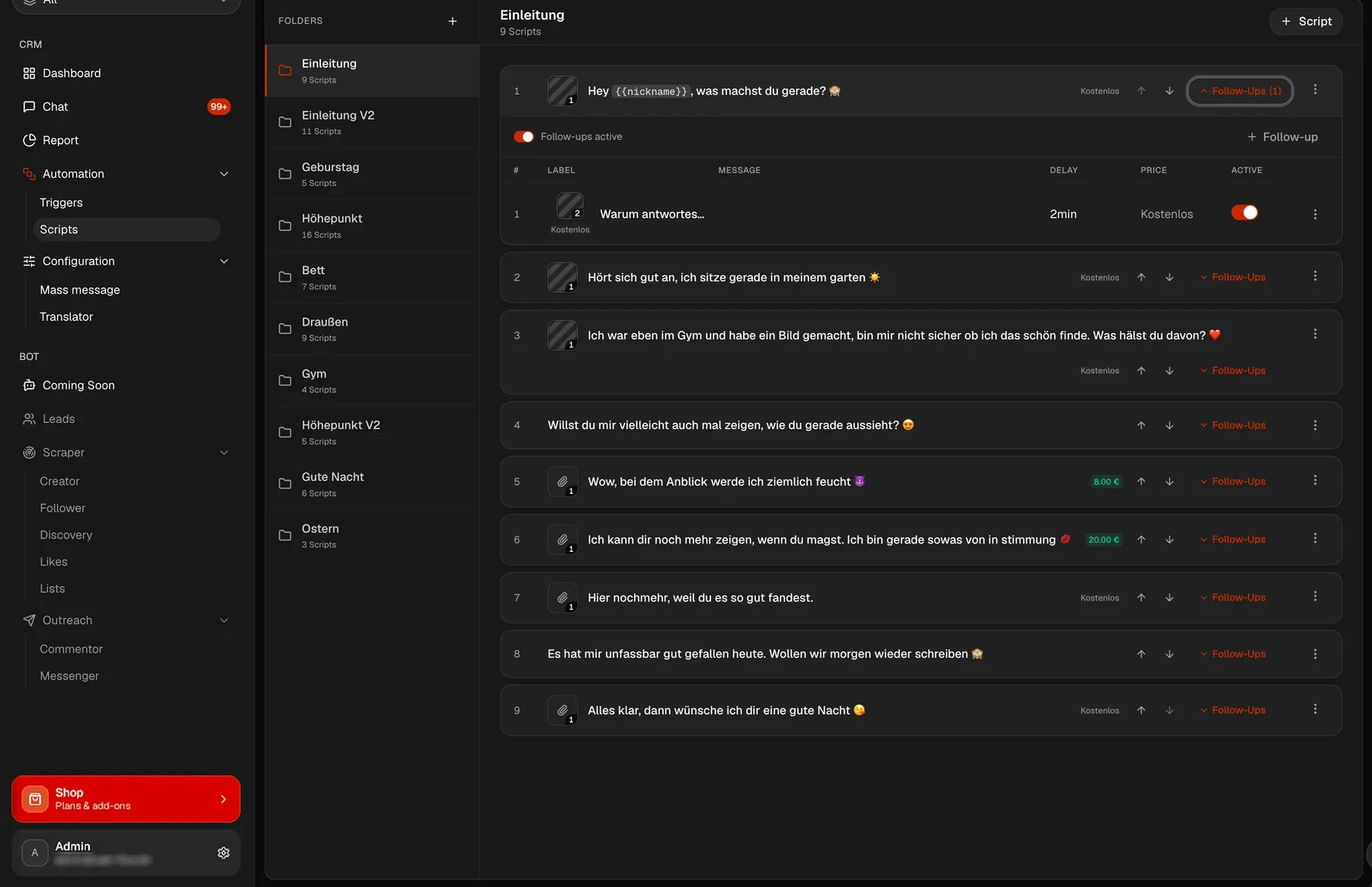
Script folders with messages, follow-ups, delay and price per PPV
SCRIPTS

Whole flows instead of single lines

A script holds the complete path: the opener, the nudge after a set waiting time, the offer with a price. The expected revenue of a run is shown before the first message goes out.

  • Follow-ups per message
  • Freely chosen delay
  • Price per PPV message
  • Expected revenue per run
  • Folders and templates
Media vault with folders and thumbnails
POSTING

The feed keeps going

Two folders, two intervals, done: one for free posts, one for paid. UserFlow uploads from them by itself, even when nobody is at the desk in the evening.

  • Separate free and paid folders
  • Own interval per folder
  • Queue with preview
  • Runs without your computer on
  • Controlled per Maloum account
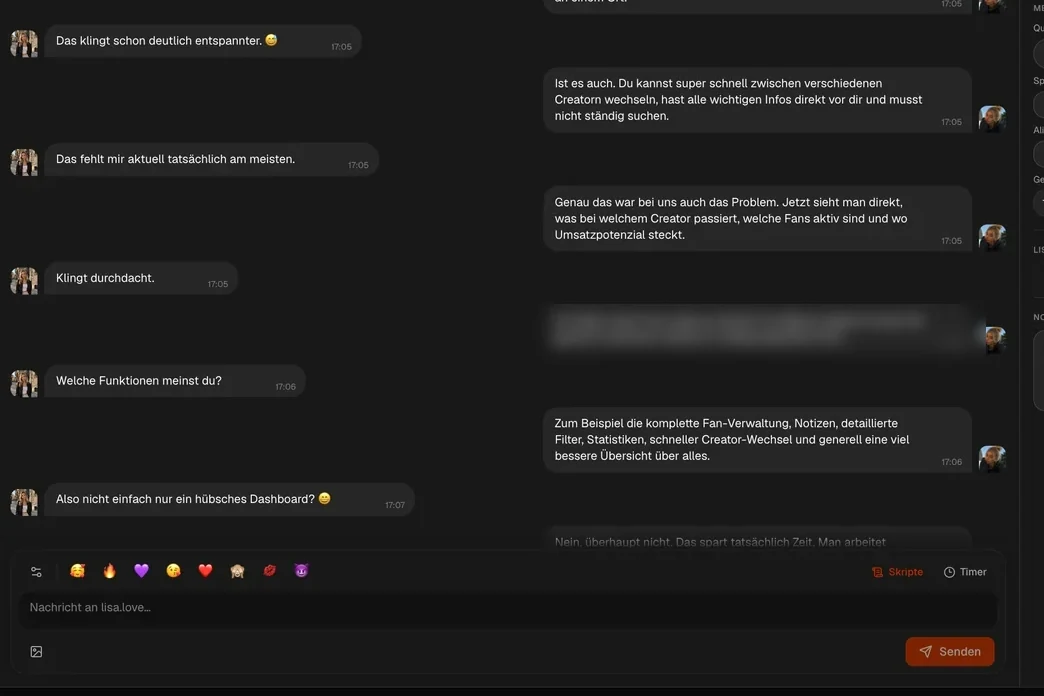
Chat history with the composer the translator works in
TRANSLATOR

Language stops being a hiring criterion

The Maloum Translator works inside the chat window and in both directions. That lets you hire chatters for their skill rather than their language, and fans from other countries stay servable.

  • Translates both ways
  • Right in the chat window
  • Chatters write in their own language
  • Works for mass messages too
  • On every Maloum account
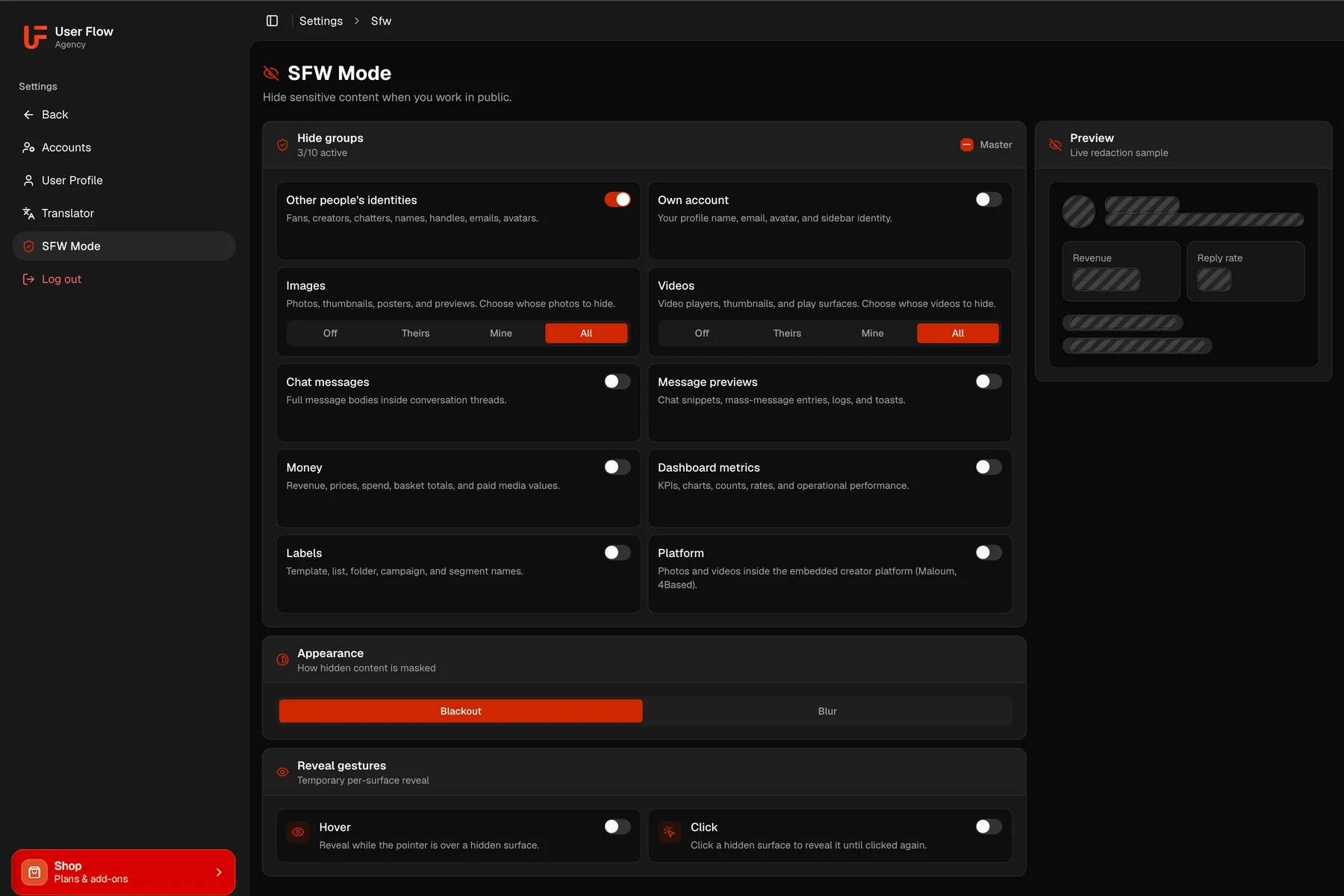
SFW mode settings with ten groups and a live preview
SFW MODE

Working where others can see along

One switch hides what does not belong on screen when somebody is sitting next to you. Ten groups can be set individually, and whatever you briefly need you reveal again with the pointer or a click.

  • Ten groups switched individually
  • Images and videos: off, theirs, mine, all
  • Blackout or blur
  • Reveal by pointer or click
  • Live preview of the masking
Chat with the tab row of the connected creator accounts
MULTI-PLATFORM

One creator, not three profiles

If a model works on 4Based or OnlyFans next to Maloum, you add her once. The chat shows the conversations of all platforms in one list, and the filter narrows it to a single one when you need that.

  • One creator instead of one profile per platform
  • Maloum, 4Based and OnlyFans in one creator
  • All the model's chats in one list
  • Filter: all platforms or just one
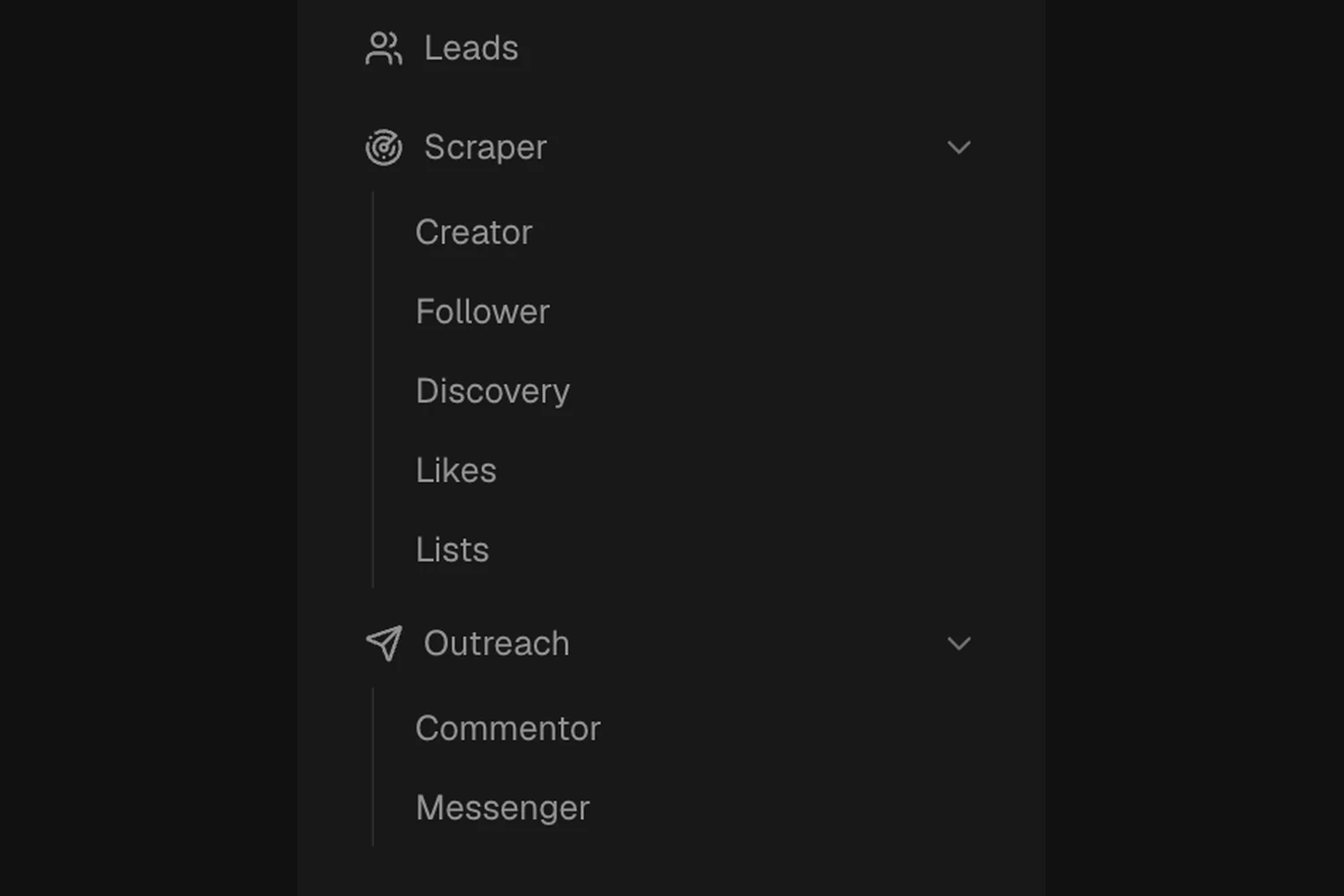
Bot section in the sidebar with leads, the scrapers and the outreach
BOT

Finding and messaging new profiles

While the CRM manages what you have, the bot brings new arrivals. The scrapers collect profiles through creators, followers, discovery, likes and lists, and the commentor and messenger make contact.

  • Creator, follower and discovery scrapers
  • Likes and list scrapers
  • Smart Commentor
  • Direct Messenger
  • Its own leads area

All eleven areas run on every Maloum account you connect. The bot exists on Maloum and 4Based, more about it on the bot page.

Explore the Maloum CRM
PRICING

Choose your plan

Cancel anytime · 20% savings with annual billing

Monthly
Yearly −20%

CRM Tab
0 / mo.
Free forever
  • Chatter performance
  • PPV Tracking
  • Follow-ups in automations
  • Multi Creator Tab Switch
  • Scripts
  • Emoji above textarea
  • Chat Countdowns
  • Chatter view (profile picture)
  • Create lists
  • Fan Info
  • PPV stats in fan info
  • Filter by spending
  • Message author view
  • Chatter Report
CRM Starter
0 / mo.
Instead 15% revenue share
  • Chatter performance
  • PPV Tracking
  • Follow-ups in automations
  • Creator tabs view
  • Scripts
  • Emoji above textarea
  • Chat Countdowns
  • Chatter view (profile picture)
  • Create lists
  • Fan Info
  • PPV stats in fan info
  • Filter by spending
  • Message author view
  • Chatter Report Unlimited
UserFlow CRM in the browser, on desktop and smartphone

One website, no app.

Why we deliberately chose against a classic app. Absolute freedom and flexibility for your workflow.

No download, no storage

Just log in via the browser and start instantly. You skip the app store and never wait for downloads.

Always up to date

New updates and features are available the second they launch. No more manual updates.

Usable everywhere, without limits

Whether desktop in the office, tablet on the couch or phone on the go, the web app always adapts.

INSIGHTS & STRATEGIES

More on Maloum agencies

Managing several Maloum accounts: one window instead of tabs
Maloum accounts

Managing several Maloum accounts: one window instead of tabs

Why juggling tabs falls apart from the third account on and what one shared window changes.

Read article
Maloum auto-posting: a folder instead of daily uploads
Maloum posting

Maloum auto-posting: a folder instead of daily uploads

How to feed the timeline from two folders and get rid of the daily upload routine.

Read article
The Maloum system in 2026: the complete setup for agencies
Maloum system

The Maloum system in 2026: the complete setup for agencies

Which building blocks an agency really needs and in which order they make sense.

Read article
See all articles
STRAIGHT TALK

Maloum CRM questions

Everything you need to know before getting started.

What is a Maloum CRM?

A Maloum CRM sits on top of your individual Maloum accounts and turns them into a single interface. The chats run mirrored inside it, along with fan data, scripts, automations and reports across all the creators of your agency.

Do my chatters see the creators’ login details?

No. Access runs through a personal invite link, and each chatter only sees the creators you assign to them. The passwords of the Maloum accounts stay in the CRM.

What does the Maloum CRM cost?

Nothing at the moment. During the beta all plans are free, you pay €0. What the plans cost regularly is listed further up this page.

Does the bot run on Maloum?

Yes. On Maloum and 4Based the bot collects new profiles through the scrapers and messages them through the commentor and messenger. OnlyFans does not allow this.

Can I post automatically on Maloum?

Yes. You set one folder for free posts and one for paid posts and choose the intervals. UserFlow handles the uploading from there, with no computer left running.

Does UserFlow work on 4Based and OnlyFans too?

Yes. The CRM, the translator and posting run on Maloum, 4Based and OnlyFans in the same interface. A model who works on several of them is added as one creator.