





The moment the second account changes everything
With your first creator you don't need a system. You know who bought what and when, you recognise names, you know without looking which fan was promised something last week. That knowledge doesn't feel like a tool, it feels like competence. Which is exactly why nobody notices when it stops holding.
That one window instead of many tabs is the Maloum CRM: every account, every chat, one login.
The second account doesn't double the work. It adds a new kind of work that didn't exist before: switching. Log out, log in, remember which context you're in. Individually those are seconds. Across a shift full of switches they become minutes, and across a week they become a working day nobody pays for and no number shows.
From the third account it tips from effort into risk. Because switching isn't just slow, it's error-prone, and the errors happen in the most expensive place possible: inside the chat, in front of a fan who was ready to buy.
Not "how do I handle more accounts" but "what does one switch cost me". Everything else follows from that number.
The four things lost every time you switch
An extra browser tab solves exactly one problem: you can see the other interface. Everything that actually makes the chat good stays behind in the previous tab.
- The fan's context. What did this person last buy, what do they respond to, what were they promised? The tab holds the conversation, not the history, and nobody scrolls back three weeks mid-shift.
- Who was responsible. Which chatter handled this fan last, and are they even on shift? Without that, the next chatter either contradicts the previous one or says nothing at all.
- The creator's voice. Every account has its own persona. Switch quickly and the previous one's tone bleeds into the next. Fans notice sooner than you'd think, they only know this one creator, and they hear it immediately when he sounds different.
- Comparability. If every account is its own island, you can't tell whether account 3 is underperforming or just smaller. Without a common baseline, every decision about staffing, pricing and attention becomes a gut call.
Then there's the mistake every agency makes once: writing from the wrong account. With a fan that's close to unfixable, because it destroys precisely what they're paying for, the sense of talking to one specific person.
What a workspace carrying several accounts has to look like
The four losses translate into four requirements. They sound mundane, but each one decides whether the fifth account produces revenue or chaos.
Switching has to be a click, not a login
As long as switching means signing in again, work gets batched: an hour on account A, then an hour on account B. That's convenient, and for the fans of B it's precisely the hour in which nobody replies. In the UserFlow CRM the creators therefore sit side by side and switching is a single click, creator tab switching exists for exactly this.
The chats have to live where the data lives
A tool that only shows numbers, plus a browser tab where the actual writing happens, isn't one system, it's two. That's why the Maloum chats run inside the CRM: the fan's context sits next to the conversation instead of in another window you'd have to go looking for. Why generic tools fail on exactly this is covered in Maloum CRM: why standard tools fail.
Wording has to be retrievable, not memorable
With one account every chatter keeps their proven lines in their head. With five that stops working, and the result is five chatters solving the same situation five different ways, with five different success rates. A maintained script folder removes that load: the good phrasing is there when it's needed instead of being reinvented. And with follow-ups, the second message is already attached to the first.
The numbers have to be comparable across accounts
A central dashboard across all creators, chatters and revenue isn't reporting cosmetics, it's the basis of every decision: which account needs more shifts, which chatter performs better on which creator, where the PPV conversion rate drops off. Without that layer you're running five separate businesses instead of one agency.
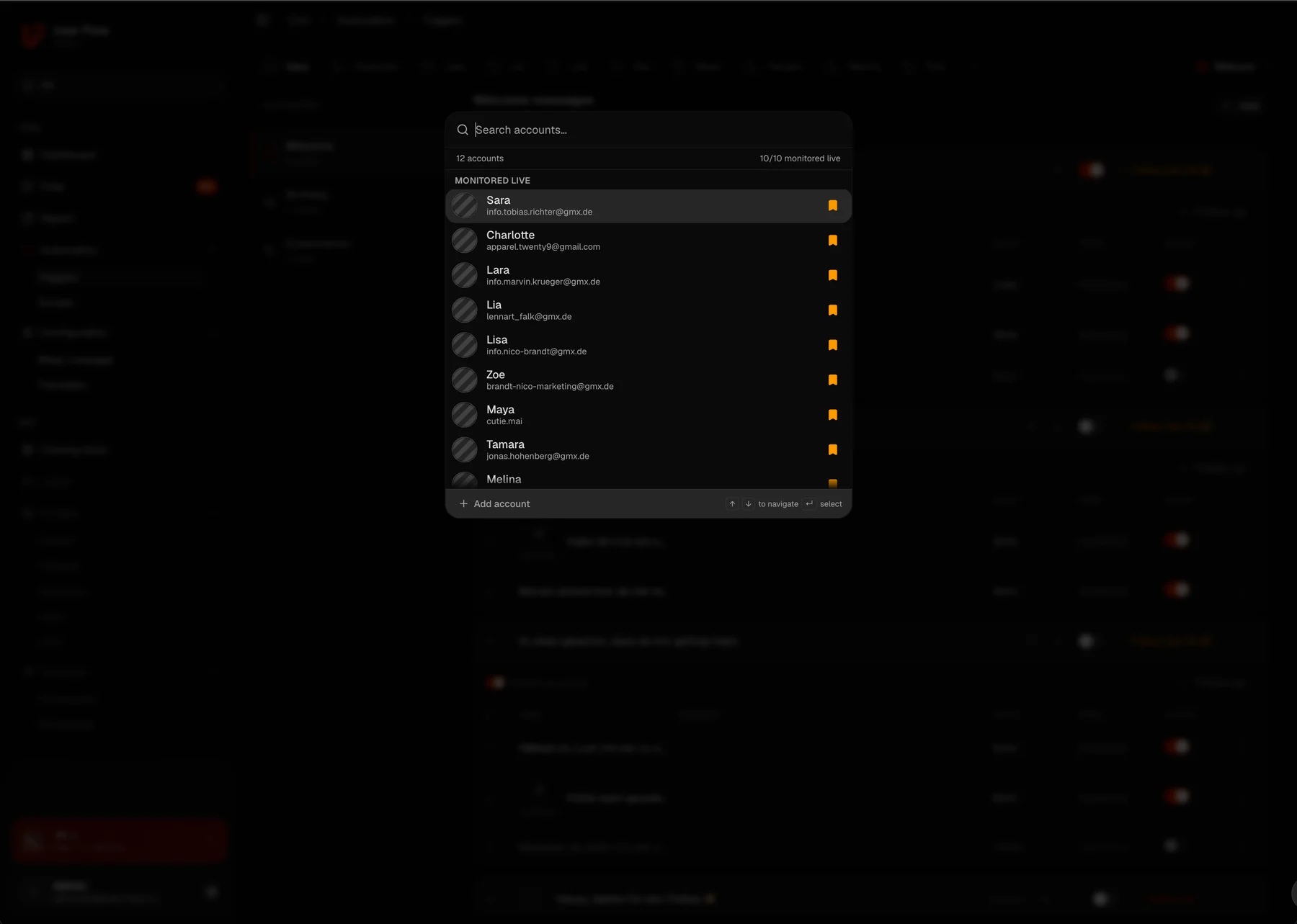
All creators. One window. One click between them.
Chats, fan history, scripts and numbers sit together, and switching accounts no longer costs you a second of context.
What has to stay apart, and what belongs together
The most common mistake when consolidating is consolidating too much. A shared workspace doesn't mean everything becomes shared. The dividing line runs almost exactly where the creator's identity begins.
Separate per account
- Persona and tone. The core of the product. Standardise here and you save effort, then sell less.
- Price level. What reads as normal on one account reads as too expensive or too cheap on the next.
- Posting folder and cadence. Every account has its own content and its own frequency, how to automate that is covered in Maloum auto-posting.
- Fan assignment. A fan belongs to one creator. Blurring that isn't an efficiency gain, it's a breach of trust.
Shared across all accounts
- The reporting. Revenue, conversion rates and chatter performance belong side by side, otherwise there's no yardstick.
- The script foundation. Structure and build of a good message transfer; the persona gets layered on top.
- The traffic. The bot works across several accounts and lists can be shared, see Maloum Bot: strategy over blind automation. How to steer several creators across both platforms from one system is covered in Managing 4Based creators: multiple accounts, one system.
- Language. With the translator, where a chatter comes from no longer decides which account they can take on.
Everything the fan perceives stays separate per account. Everything only you see belongs together.
How many accounts a chatter realistically carries
The rule of thumb is two to three mid-sized accounts per experienced chatter. That figure gets quoted often and questioned rarely, yet it isn't a law of nature, it's the result of three factors, two of which you can influence directly.
Volume, barely in your hands
An account with thirty active chats behaves nothing like one with three hundred. Two large accounts can tie up more capacity than five small ones. So count in simultaneous chats per shift rather than in accounts, that's the only number you can plan with.
Switching cost, directly in your hands
This is where the real leverage sits. If every switch means a login and a hunt for context, two accounts is the ceiling. If it's one click and the history, scripts and numbers come with it, the ceiling moves up noticeably, not because the chatter types faster, but because they stop searching in between.
Distance between personas, in your hands when assigning
Two creators with a similar audience and a similar tone are far easier to run in parallel than two opposites. That's a scheduling criterion most agencies never consider: not just how many accounts a chatter gets, but which ones.
In practice: start conservatively at two, measure the conversion rate per account, and only increase once it holds steady for two to three weeks. If it drops on the third account, you haven't got the wrong chatter, you've found a ceiling. Which numbers you need per chatter for that is covered in Building a chatter team on Maloum: recruiting & control.
Don't measure the number of accounts, measure what a switch costs. Keep apart what the fan perceives, pool what only you see, and raise the account count only once the conversion rate holds for several weeks.
Frequently asked questions
How do I manage multiple Maloum accounts at once?
Through one interface where all creators sit side by side and switching is a single click, rather than separate browser tabs with separate logins. What matters is that fan history, scripts and numbers come along when you switch. That is exactly what the UserFlow CRM provides with its creator tab switching, chats inside the tool and one dashboard across all accounts.
Why aren't several browser tabs enough?
Because a tab shows you the interface, not the context. Switching costs you the fan's history, the record of who was responsible, the tone of that particular creator and any comparability between the numbers. On top of that comes the risk of writing from the wrong account, which is close to impossible to repair with a fan.
How many Maloum accounts can one chatter handle?
The rule of thumb is two to three mid-sized accounts per experienced chatter. That number isn't a law of nature though, it's the result of three factors: the message volume of the accounts, how much context is lost on every switch, and how differently the creators sound. Improve the first two and the ceiling moves up.
What has to stay separate per account?
Everything that belongs to the creator's identity: persona and tone, price level, posting folder and cadence, and the assignment of fans. What can be shared is the reporting across all accounts, the script foundation as a common base, and the bot working across several accounts.
At what point is a CRM worth it for multiple accounts?
Practically from the second account, at the latest from the third. With one account your own head still carries the overview. From the second, switching cost appears; from the third, switching cost turns into a risk of error that care alone can no longer offset.