The OnlyFans CRM combines detailed reports, smart automations and live chat: everything you need to run several OnlyFans accounts as an agency instead of managing them one by one.
YOUR PLATFORMS
One system for all your platforms. Alongside OnlyFans, the same CRM runs Maloum and 4Based accounts too, with no second login and every feature. More platforms such as Fansly, MYM and Fanvue are coming.
No switching between tools and tabs. Numbers, chats, automations, team, scripts, posting and translation live in the same interface, and on the right you see the matching view for each area.
01MASTER DASHBOARD
Dashboard
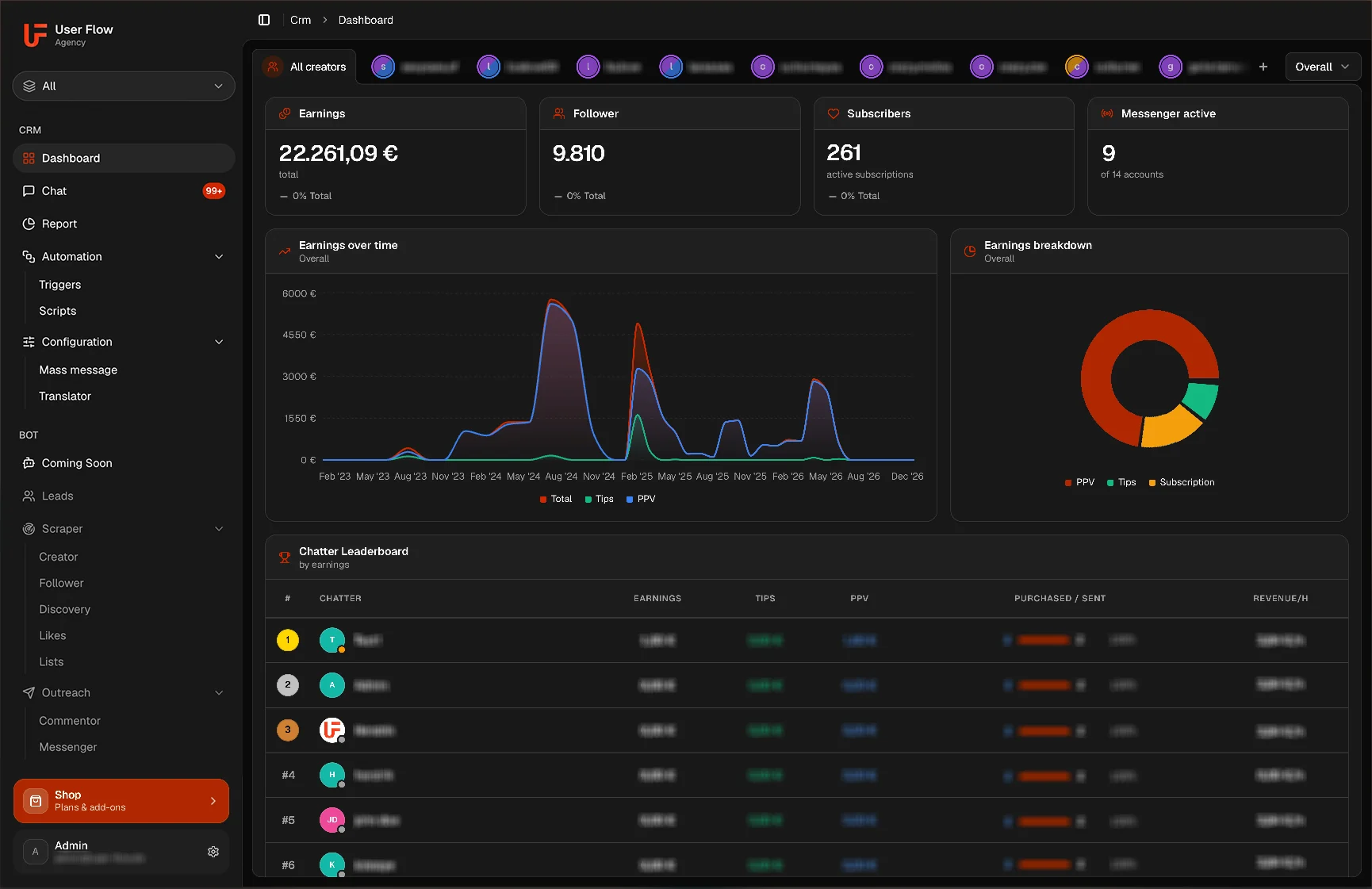
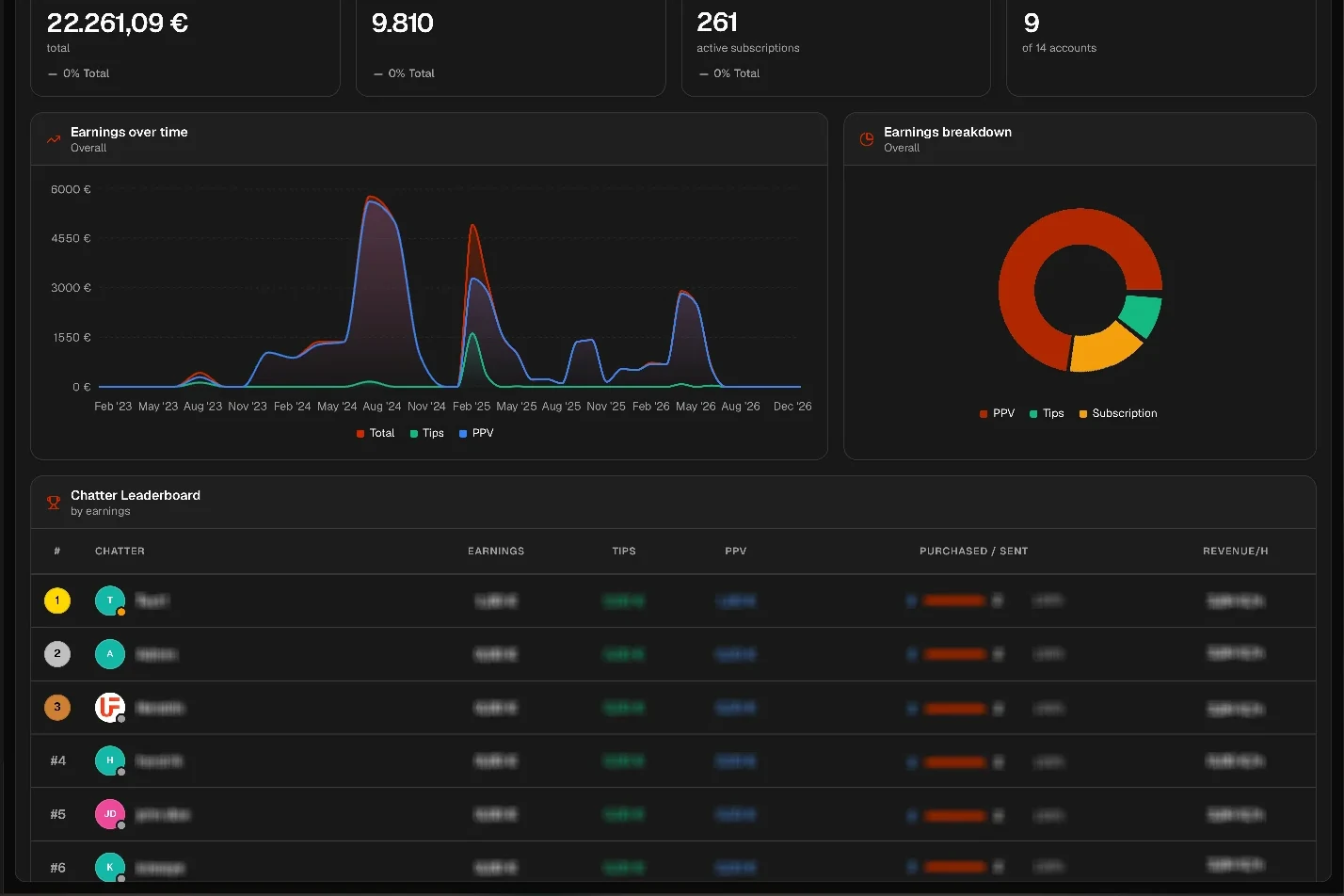
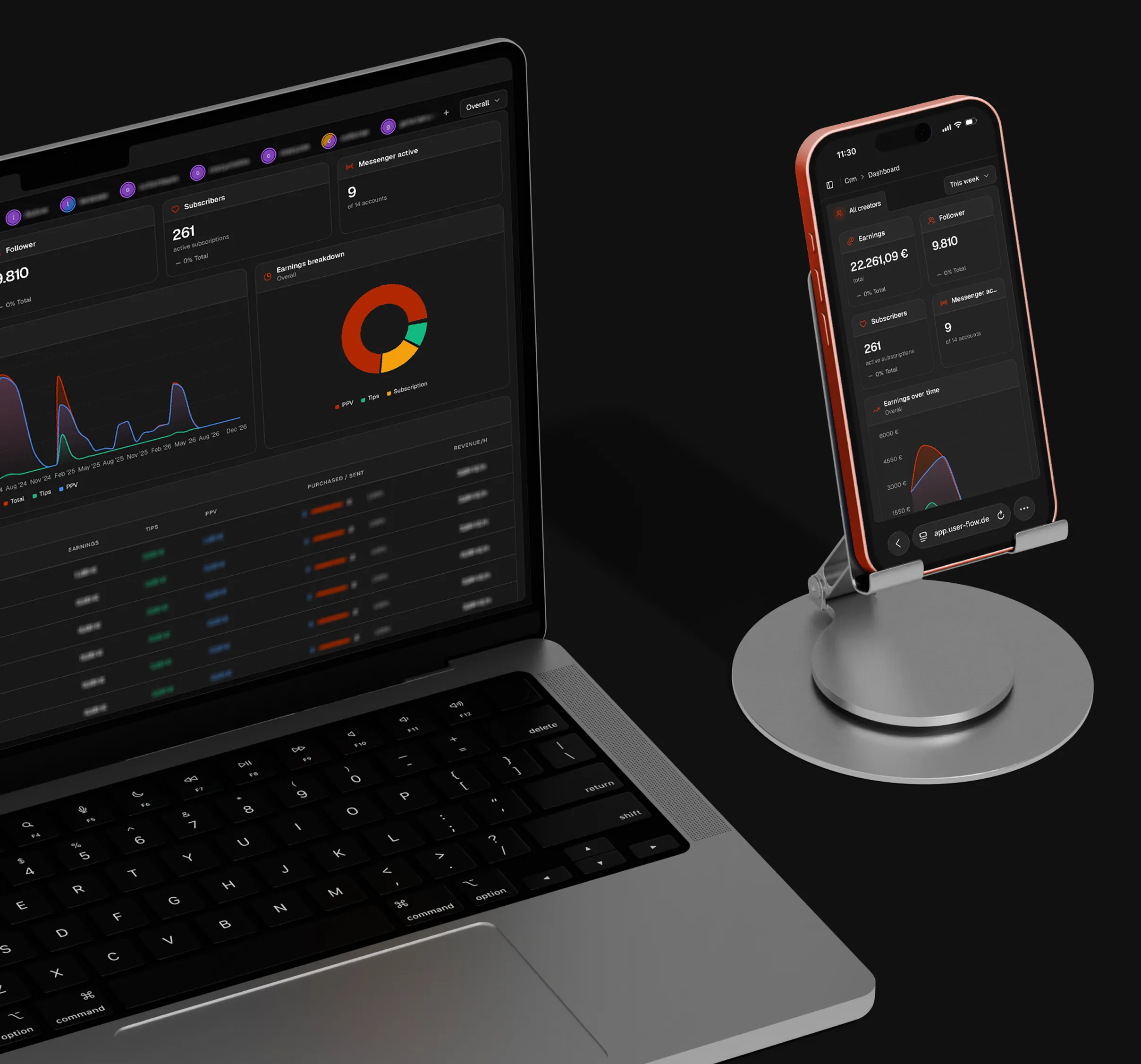
Keep all creators, chatters and revenue across your OnlyFans accounts in one central dashboard. Which creator is growing and which chatter carries the load is right there, without logging into a single account.
Revenue per OnlyFans account & rankings
Subscriber growth per creator
Running automations at a glance
Chatter performance in real time
02CHAT CENTER
Messages
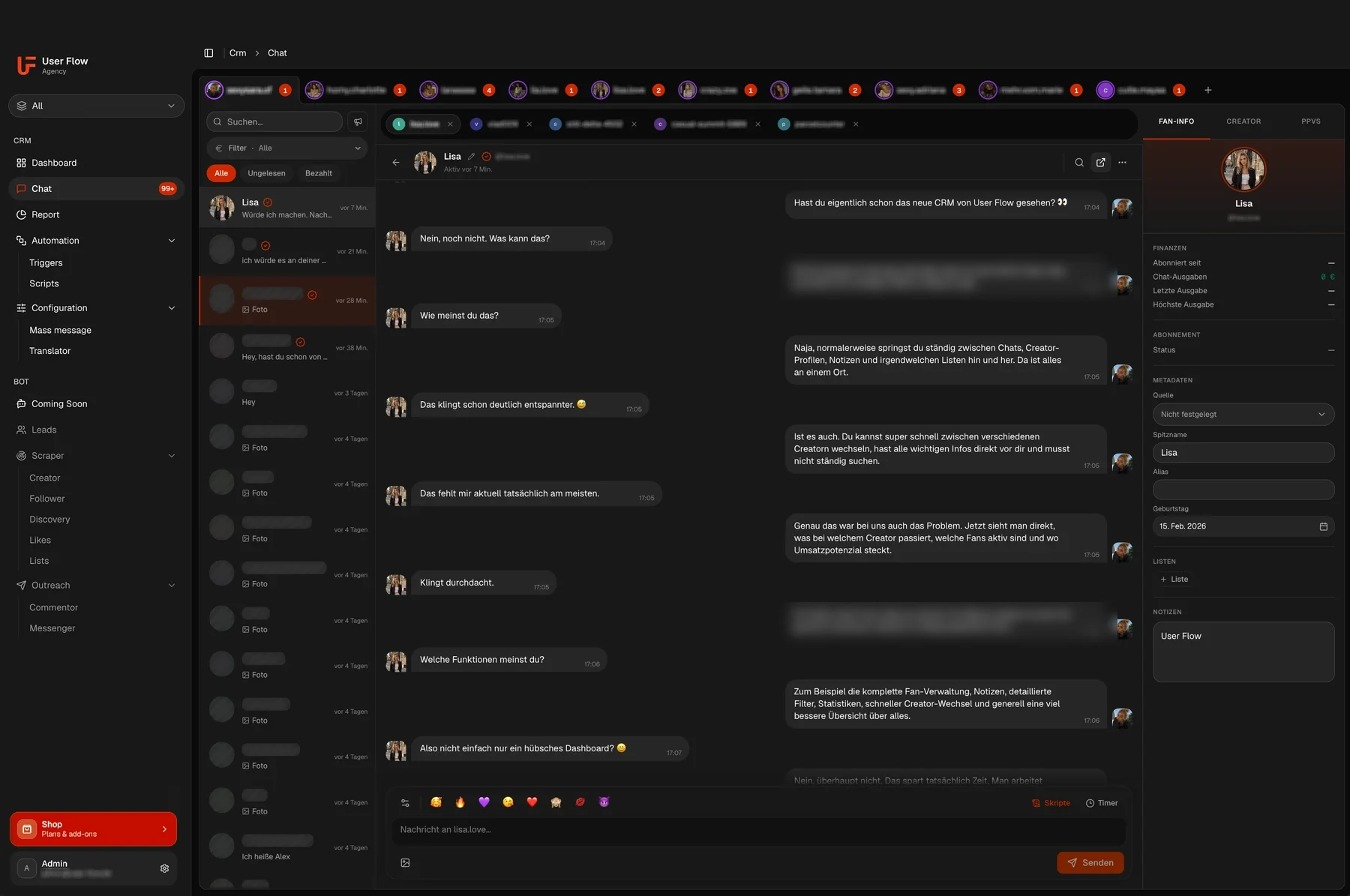
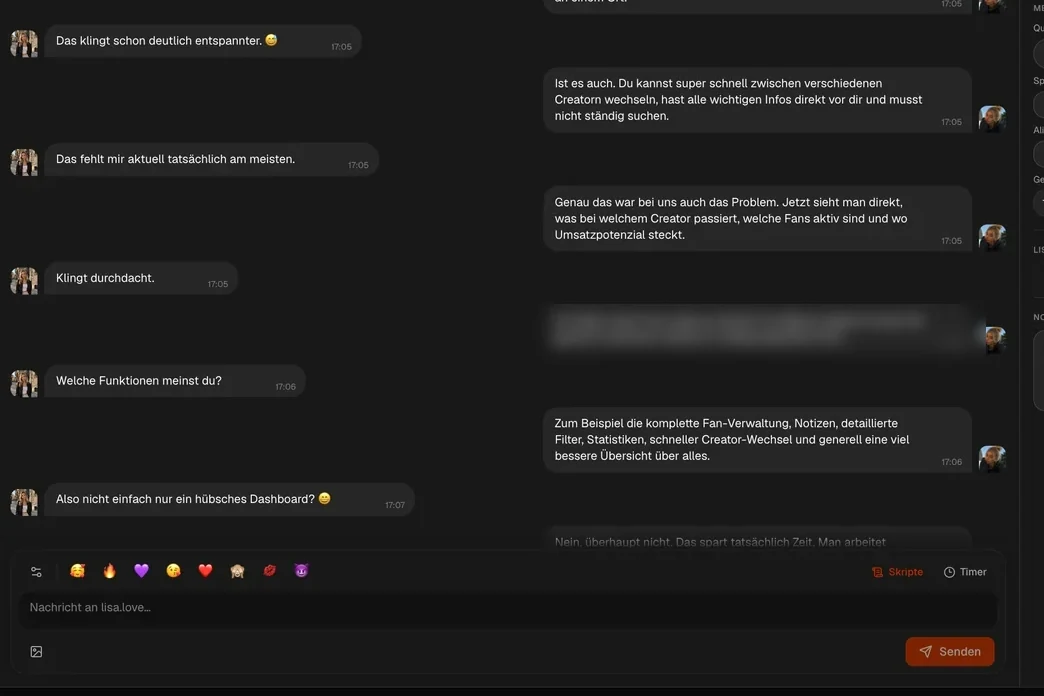
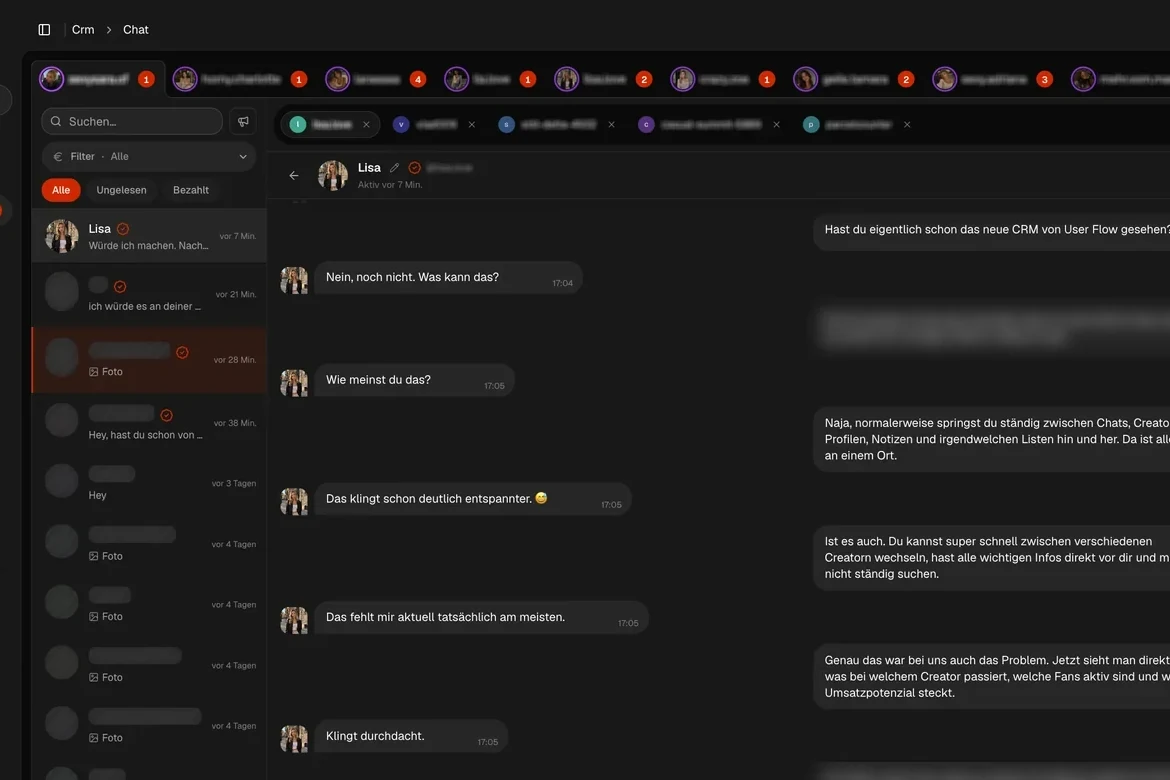
Mirror all OnlyFans chats in real time and extend them with powerful management tools. Several creators run side by side, fan data sits next to the conversation, and you launch mass messages or scripts straight from the chat.
Switch between OnlyFans accounts by tab
Fan details visible
Mass messages
Recipient lists
Script blocks
Scheduled sending
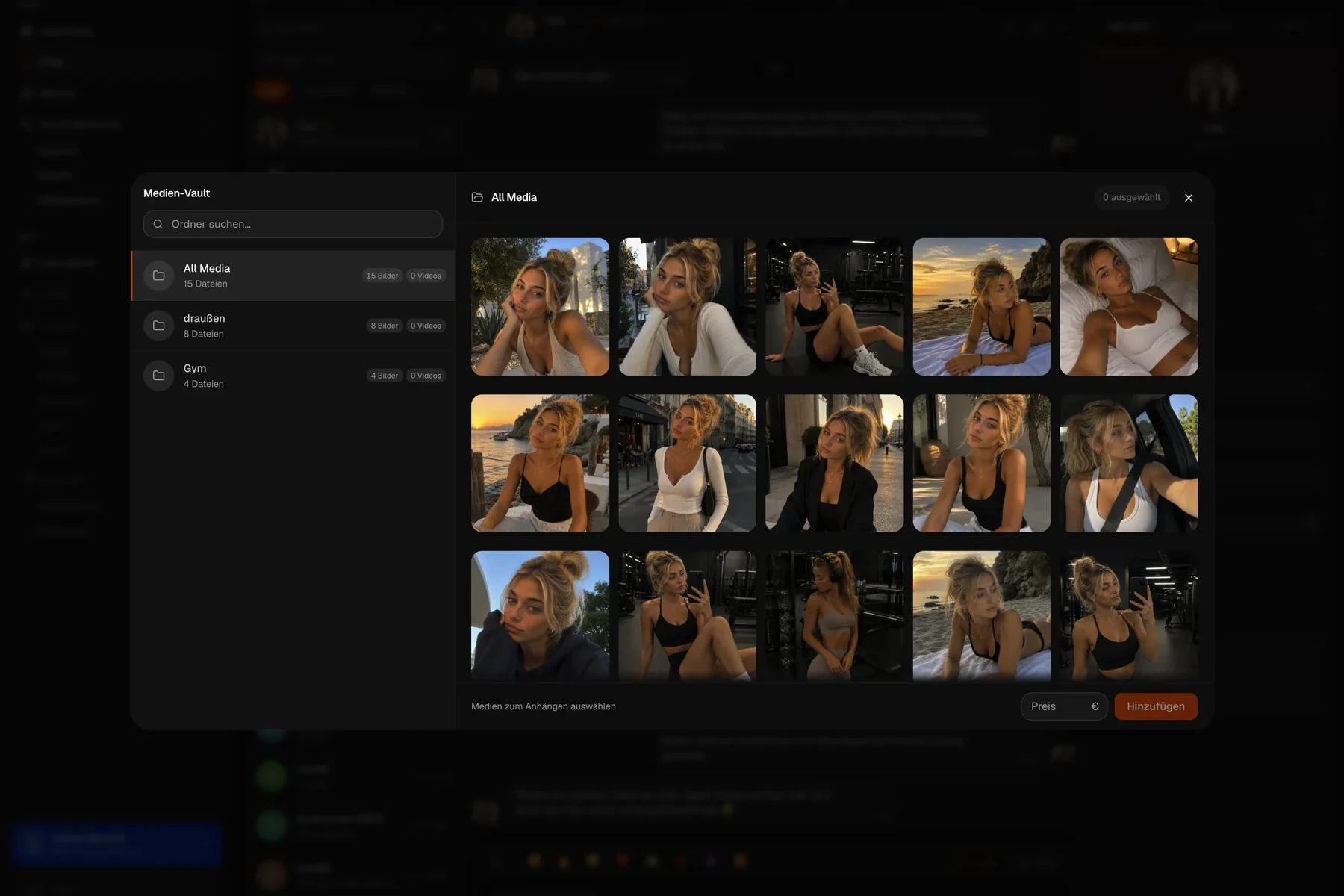
Media Vault
PPV history per subscriber
Live search & chat filter
Emoji bar
Assign chatters per OnlyFans account
03AUTOPILOT
Smart automations
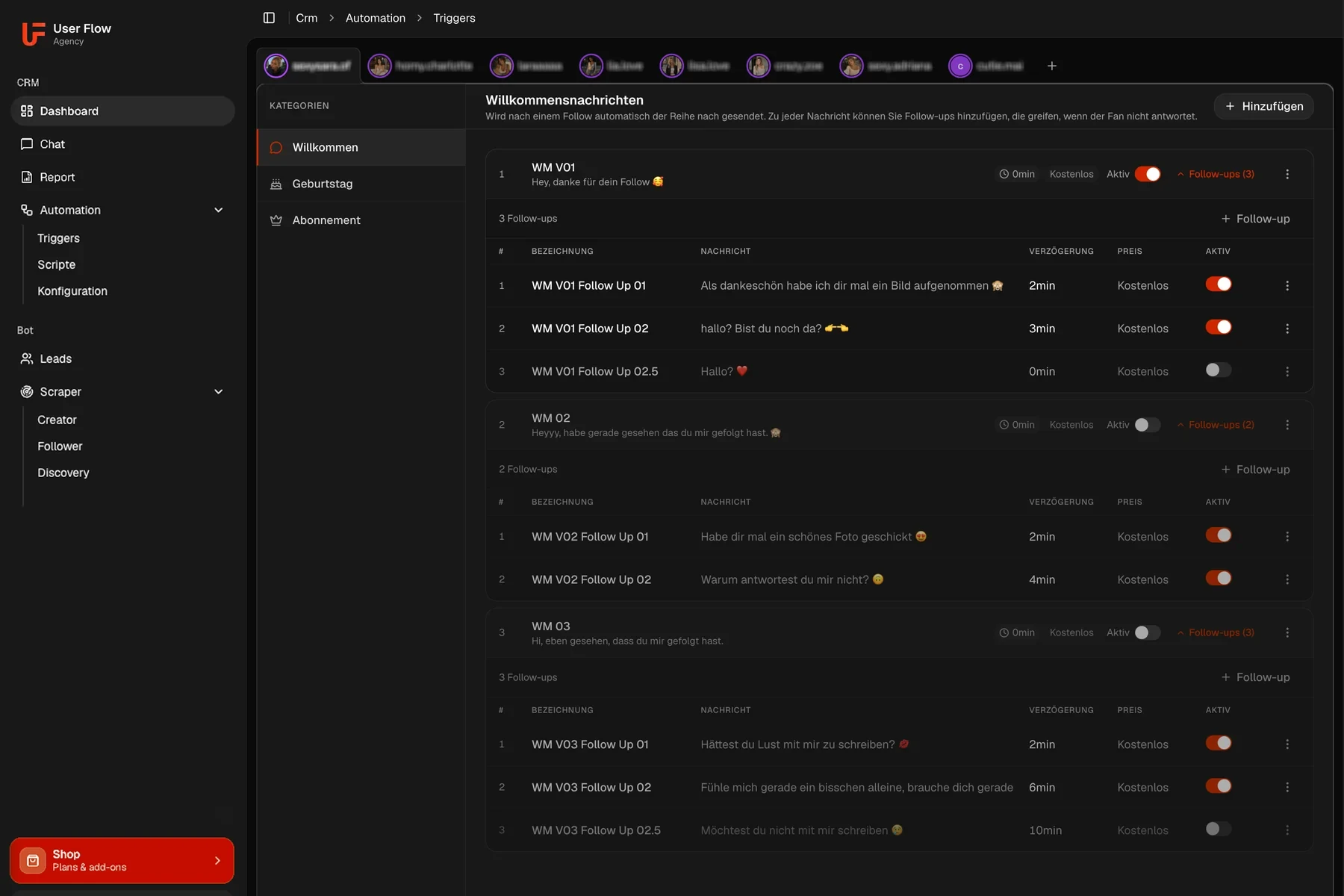
Let the CRM work for you, from the welcome message to a new subscriber through to birthday greetings. Set it up once and it runs on every connected OnlyFans account.
Welcome message on a new subscription
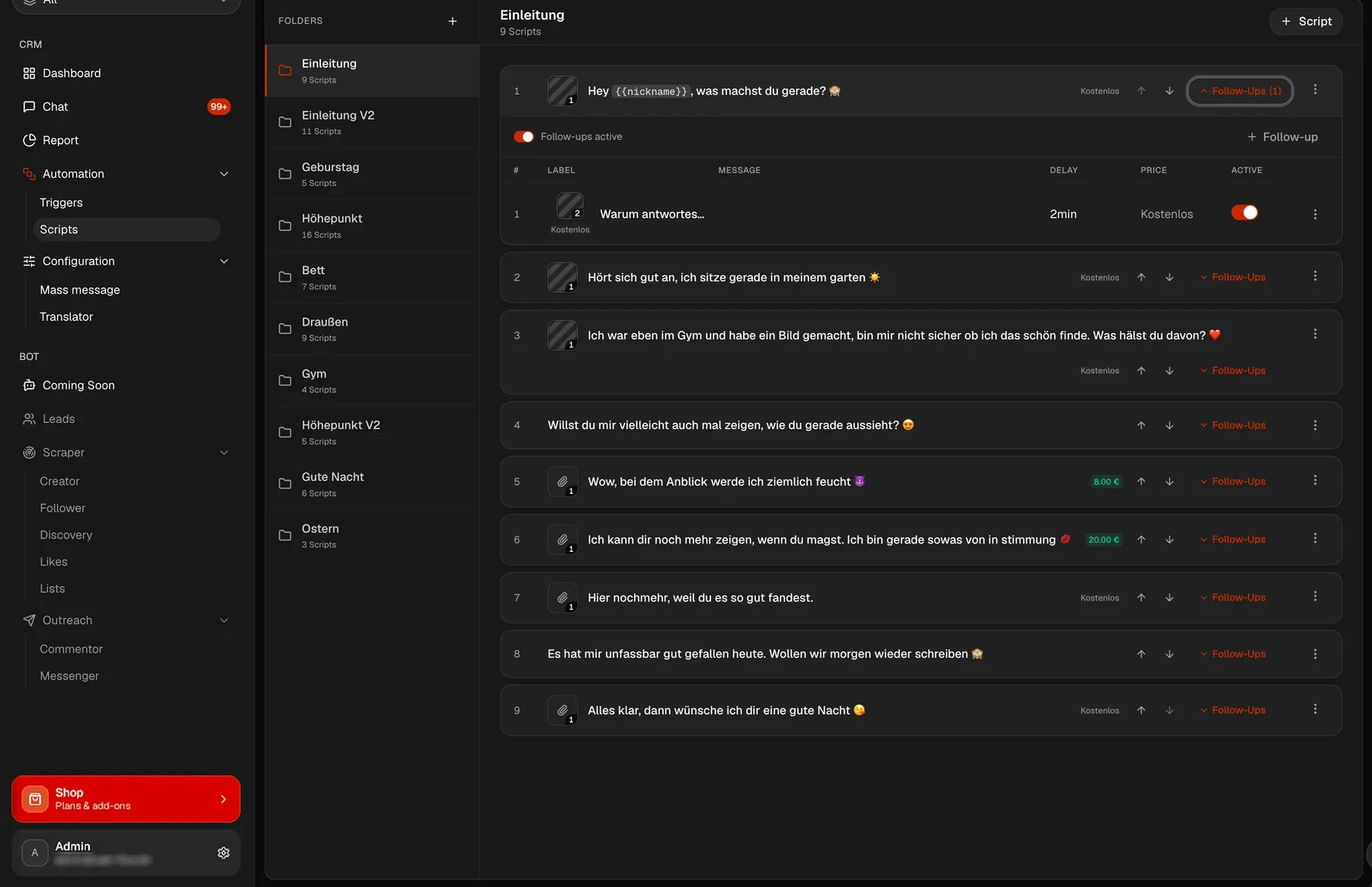
Script folders with follow-ups
Schedule mass messages ahead
Message on a new subscriber
Birthday messages
04TEAM MANAGEMENT
Creator & Chatter
Add as many OnlyFans accounts as you like and assign chatters via invite links. Which account is on which plan shows up in the same table.
Every OnlyFans creator in one table
Assign chatters per creator
Plan status per OnlyFans account
Invite links for chatters
05CHATTER REPORTS
Detailed reports
Track exactly which chatter generates the most revenue. Analyze tips, PPVs, purchase rates and hourly revenue, per creator and across all your OnlyFans accounts.
Revenue per chatter hour
PPV purchase rate per chatter
Recorded chat time per shift
Trend & share charts
06SCRIPTS
Scripts with follow-ups
Build whole conversation flows: when a reply does not come, UserFlow sends the next message after the waiting time you chose. The script shows the expected revenue of a run before the first message goes out.
Follow-ups per message
Delay you choose
Price per PPV message
Expected revenue per run
Folders & templates
07AUTO POSTING
Automated posting
The feed keeps running even when nobody is at the desk. You set up a free folder and a paid folder, give each its own interval, and UserFlow posts from them to your OnlyFans accounts on its own.
Separate free & paid folders
Own interval per folder
Queue with preview
Runs without your computer on
Controlled per OnlyFans account
08TRANSLATOR
Translator in the chat
The OnlyFans Translator sits in the same chat window, no second tool and no copying back and forth. It translates both ways in real time, the message from the fan and the reply from your chatter. That way your team serves fans whose language it does not speak.
Translates both ways
Right in the chat window
Chatters write in their own language
Works for mass messages too
On every OnlyFans account
09SFW MODE
Safe for work
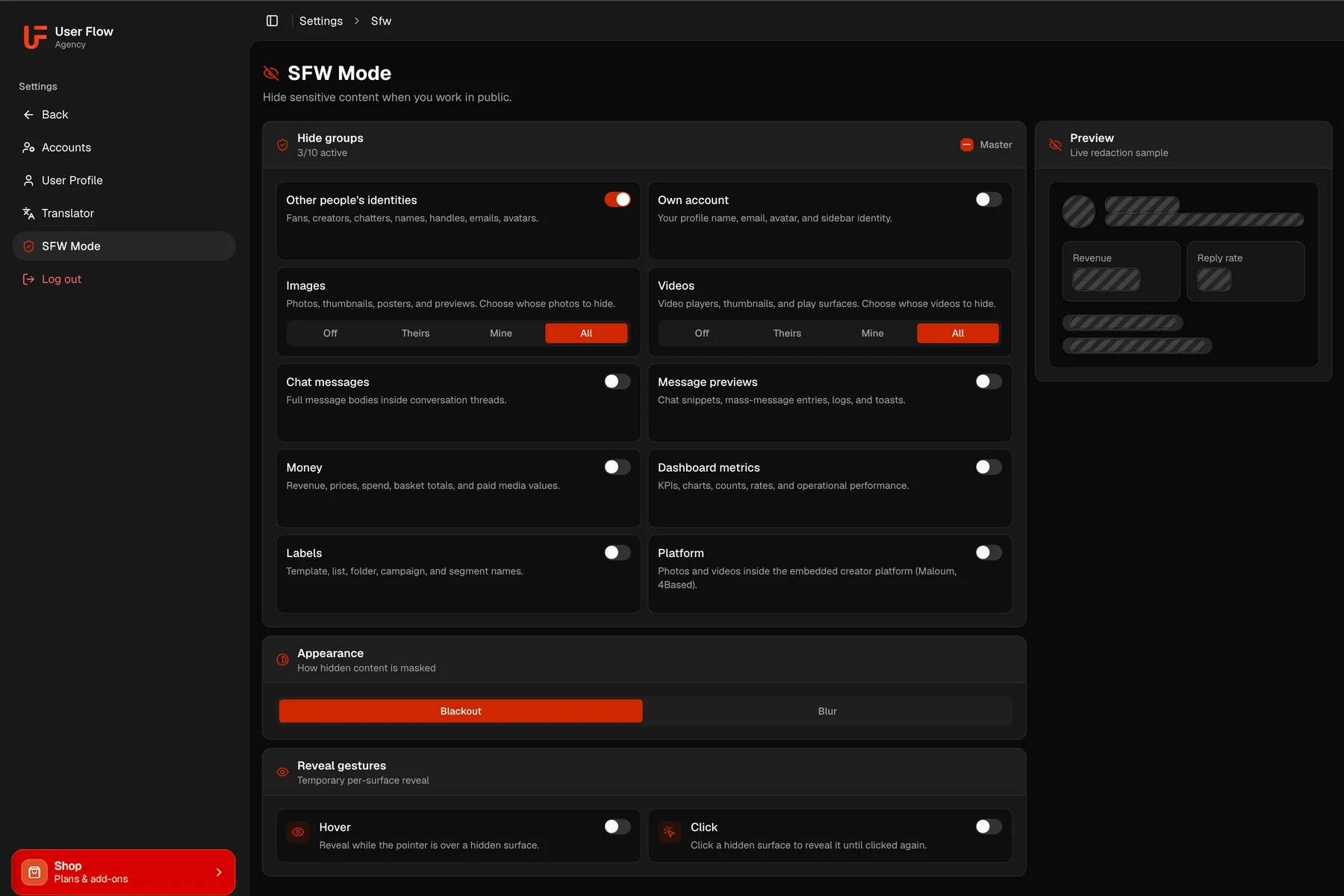
Working on a train or in a café, SFW mode hides what nobody should read along. You switch ten groups individually, from images and videos to chat messages, revenue and metrics. When you need one spot, you reveal it again with the pointer or a click.
Ten groups switched individually
Images & videos: off, theirs, mine, all
Blackout or blur
Reveal by pointer or click
Live preview of the masking
10MULTI-PLATFORM
One creator, every platform
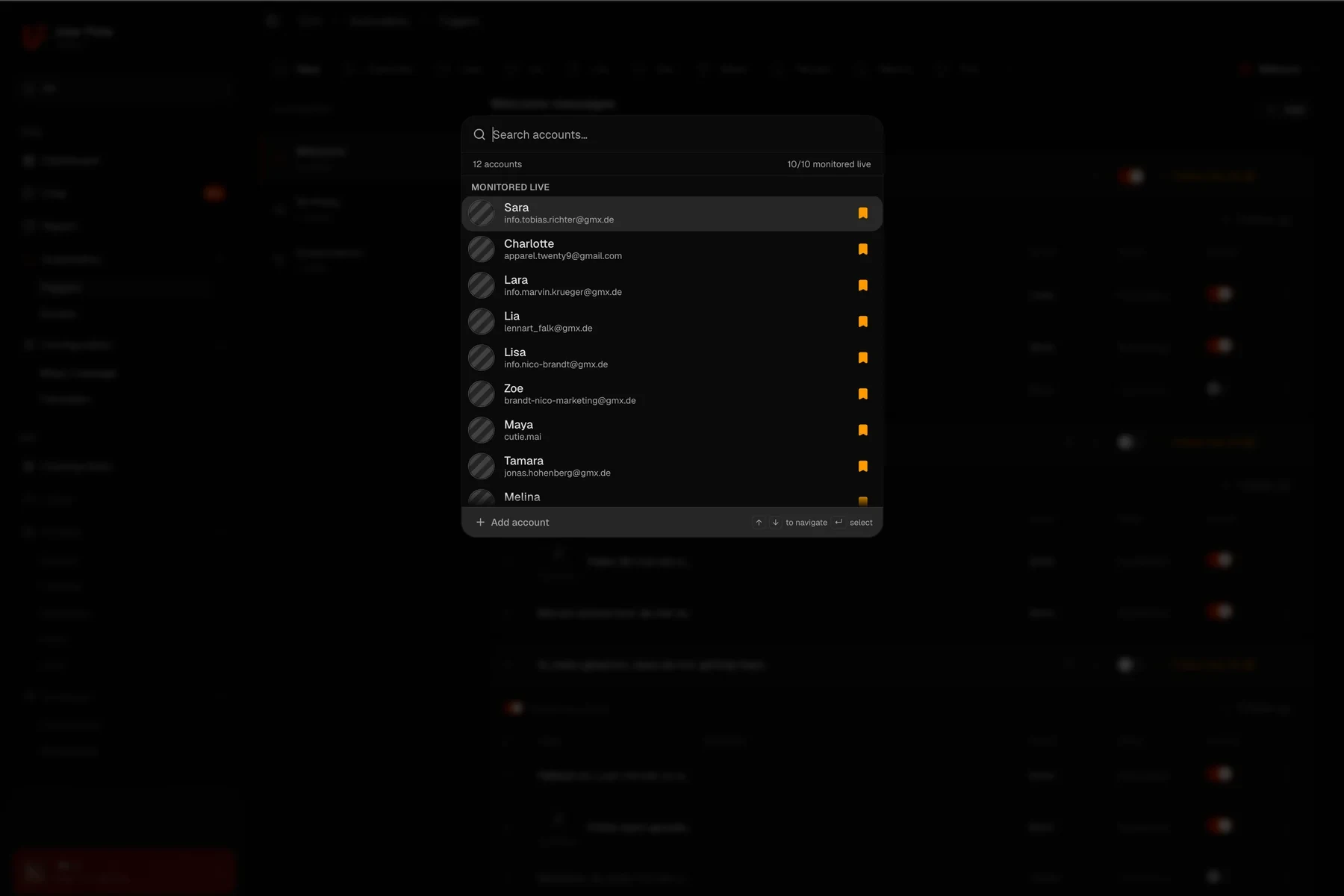
If a creator is on OnlyFans, Maloum and 4Based, you add her once instead of three times. The chat then holds the conversations of all her platforms in one list, so you serve the model from a single view. The filter switches between all platforms and just OnlyFans, Maloum or 4Based.
One creator instead of one profile per platform
OnlyFans, Maloum and 4Based in one creator
All the model's chats in one list
Filter: all platforms or just one
All ten areas run on every OnlyFans account you connect.
Everything you need to know before getting started.
What is an OnlyFans CRM?
An OnlyFans CRM is software that brings several OnlyFans accounts together in one interface. Instead of logging into each account separately, you work in a single dashboard: mirrored chats, fan details next to the conversation, revenue per creator and reports across your whole team.
Do my chatters need the creators’ login details?
No. Chatters get an invite link and work in the CRM with it. The login details of the OnlyFans account stay in the CRM and are not shown to the chatter.
What does the OnlyFans CRM cost?
Nothing at the moment. All plans are free during the beta, you pay €0 for as long as the beta runs. The regular prices are listed with the plans further up this page.
Is there a bot for OnlyFans as well?
No, and there is none planned, because the platform does not allow it. The bot exists on Maloum and 4Based. On OnlyFans you get automations that react to events instead, a new subscription or a birthday for example.
Does automated posting work on OnlyFans?
Yes. You set up a free folder and a paid folder, each with its own interval, and UserFlow uploads from them on its own. No computer has to stay switched on.
Does UserFlow work on Maloum and 4Based too?
Yes. The CRM, the translator and posting run on Maloum, 4Based and OnlyFans in parallel in the same interface. If a creator is on several of these platforms, you add her as one creator and have her chats from all platforms in one list, filterable down to a single one. The bot runs on Maloum and 4Based.