



The question is framed wrong
"Which tools does an OnlyFans agency need" almost always produces a list of products. The reverse order is more useful: first the tasks, then the question of which of them justify a tool of their own at all.
The tasks that justify a tool of their own are covered by the OnlyFans CRM in a single interface.
The difference is not academic. Starting from a product list means buying tools for tasks you do not yet have, and paying for them not only in money but in attention: every additional system is a place where information gets stranded.
So this article walks through the six tasks that come up in every agency and answers the same question for each: is standard software enough, or does it need something specialised? Why nothing generic works for one of these tasks is covered in detail in OnlyFans CRM.
The six tasks
There are no more than that. Whether an agency handles two creators or twenty changes the size of these six blocks, not their number.
1. Chat and fan data
Who bought what, who was promised what, where this fan came from, which chatter wrote last. The only block where standard software reliably fails, more on that shortly.
2. Content management
Where the material sits, what has already been sent, what is approved for which creator. The problem is rarely storage but the question "have we already sent this to this fan" and that actually belongs to block 1.
3. Shift planning
Who works when, who stands in when somebody drops out. A calendar covers that for longer than you would think. What gets critical is not the plan but the handover between shifts, which also belongs to block 1.
4. Team communication
Agreements, questions, announcements. An ordinary group chat is enough here, permanently. The common mistake is not picking the wrong messenger but misusing it for fan information.
5. Traffic and posting
Posts on Reddit, X, TikTok. Scheduling tools are plentiful, but their value here is limited: the channels detect and penalise automated posting, and the damage from a ban outweighs the time saved. Why that is so is covered in OnlyFans outreach.
6. Payouts and reporting
What you pay out to whom, and which numbers you look at when. Standard software is fine for the bookkeeping. For the reporting it is not, because the necessary data either comes into being in block 1 or does not. Which four numbers those are is covered in OnlyFans agency dashboard.
The dividing line: where standard software is enough
Sorting the six blocks by that question produces a surprisingly clear line. Everything to do with fans needs something specialised. Everything else does not.
For calendars, file storage, group chat and bookkeeping there are good, cheap, general tools. Buying something industry-specific there is wasted money, those tasks are no different in an agency than in a plumbing business.
At block 1 it tips over, for a structural reason: a general CRM is built for a sales process that ends at some point, enquiry, offer, close. Your fans never close. They buy again, or they go quiet. What you need is not a pipeline with stages but a history that still holds after the twentieth purchase and is visible to whoever is writing right now.
That is exactly why agencies land on a spreadsheet first, at least that is malleable, and then hit a different limit there: several people cannot work in it at once.
Do not ask "is this tool good" but: which piece of information does it move out of somebody's head or a chat log to a place where the next person finds it? If you cannot answer that in one sentence, the tool does not solve a problem you have.
The costlier mistake is too much, not too little
Agencies that start growing typically buy too much too quickly. That costs less money than attention, and the arithmetic is uncomfortably simple.
Every additional system is a handover point where information can get stranded. With three tools there are three places something might be. With six there are six, and nobody knows any more which one is current. The practical test is uncomfortable: in how many systems does the same piece of information about a fan exist? Anything above one is a problem that grows over time.
The second effect hits new staff. Every tool has to be explained, and the more there are, the longer it takes before somebody can work independently, and the likelier it becomes that somebody quietly ignores one of them. A tool half the team does not use is worse than none: you rely on it and still find nothing.
The order to buy in
If only one thing gets bought, make it block 1. Everything else can be covered with general tools until it genuinely hurts, and mostly it never hurts.
First: everything attached to the fan. History, origin, attribution to a chatter. That is the basis for three of the four metrics and for every handover between shifts.
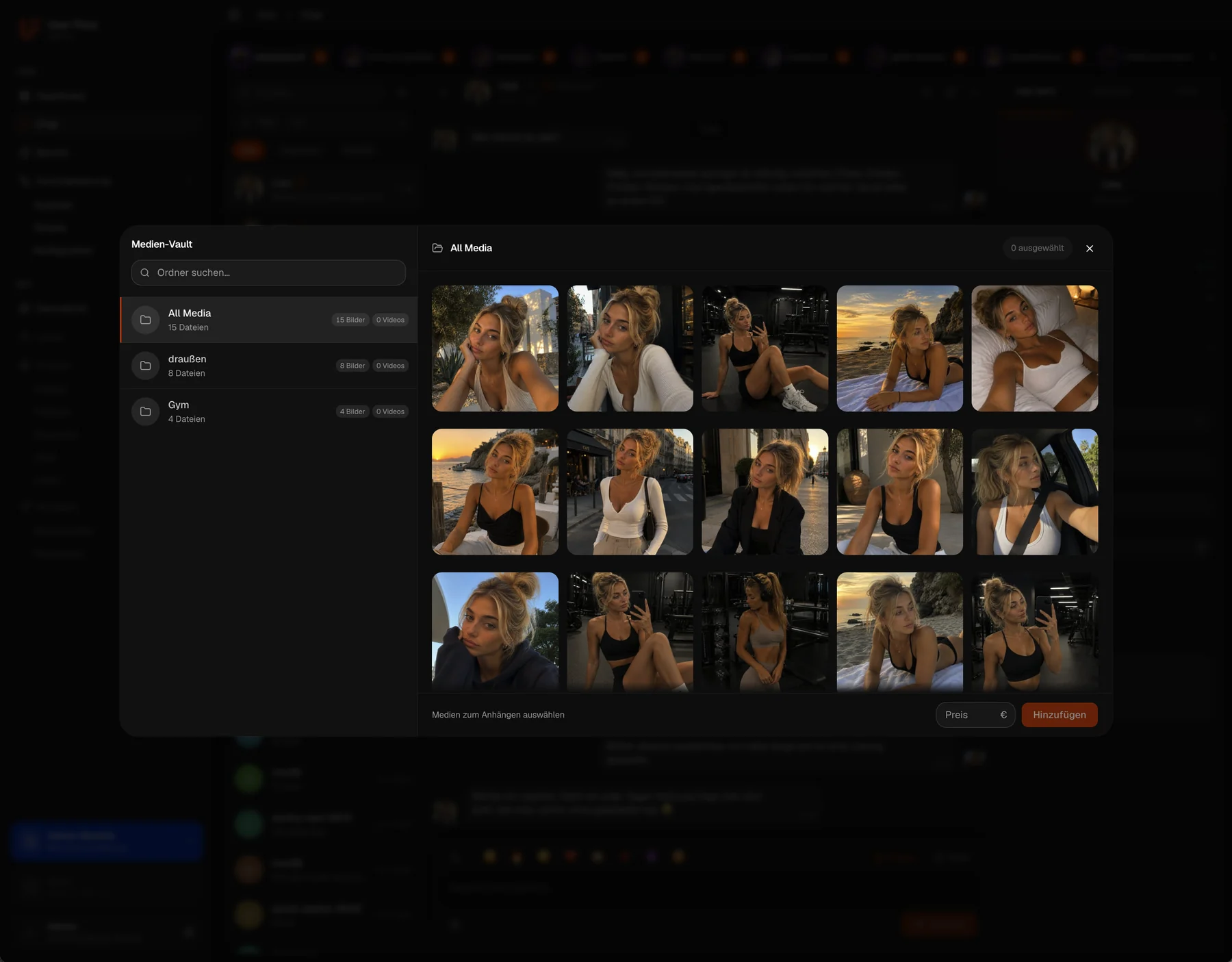
Then, when the need arises: content management that knows what went to whom, not merely file storage. As long as a shared folder is enough, a shared folder is enough.
And later, once there are several languages: translation inside the working window, so you can hire chatters for quality rather than language level. Why that sits differently on OnlyFans than on German-speaking platforms is covered in OnlyFans translator.
Not at all: tools promising to automate posting on Reddit, TikTok or X. And anything promising platform access the platform itself does not provide, that is not a tool but a risk with an invoice attached.
What we cover and what we do not
To keep the classification honest: on OnlyFans, UserFlow covers block 1, plus content management with a sending history, the reporting and the translation. The bot is not part of it, the platform does not allow it.
What we do not cover: shift planning, team chat, bookkeeping and posting on external channels. You do not need an industry solution for those, and we are not building one, a calendar, a messenger and your accounting software cover them permanently.
One tool for the block where standard software fails.
CRM and translator for OnlyFans: fan history beside the conversation, origin per fan, buy rate per chatter and every creator in one view. The bot runs on Maloum and 4Based. Everything is €0 during the beta.
Frequently asked questions
What software does an OnlyFans agency really need?
Six tasks come up, chat and fan data, content management, shift planning, team communication, traffic, payouts, but only one of them justifies an industry solution: everything attached to the fan. For calendars, file storage, group chat and bookkeeping, general tools are enough permanently.
Why does a normal CRM not work here?
Because a general CRM is built for a sales process that ends at some point, enquiry, offer, close. Fans never close: they buy again, or they go quiet. What is needed is not a pipeline with stages but a history that still holds after the twentieth purchase and is visible to whoever is writing right now.
How many tools should an agency run?
As few as possible, because every additional system is a place where information gets stranded. The practical test: in how many systems does the same piece of information about a fan exist? Anything above one grows into a problem over time. On top of that, a tool half the team does not use is worse than none.
Are automated posting tools worth it?
For that purpose, hardly. Reddit, TikTok and X detect automated posting and penalise it, and the damage from a ban outweighs the time saved. What can sensibly be automated is what happens after the click, response times, fan history, reporting.
In what order should you buy?
First everything attached to the fan: history, origin, attribution to a chatter, that is the basis for the metrics and for every shift handover. Then, if needed, content management that knows what went to whom. Later, once there are several languages, translation inside the working window. Not at all: automated posting, and anything promising platform access the platform does not provide.
What does UserFlow cover and what does it not?
Covered are chat and fan data, content management with a sending history, reporting and translation, for Maloum, 4Based and OnlyFans. The bot runs on Maloum and 4Based. Not covered are shift planning, team chat, bookkeeping and posting on external channels. Those need no industry solution.